


CloudMounter - Lifetime License KEY - Mac


- New
CloudMounter - Perpetual License
CloudMounter is a utility from Electronic Team, Inc., the company behind the Eltima software brand, that mounts cloud storage accounts and remote servers as local drives on a Mac or on a Windows PC. It suits anyone who works with several cloud accounts or servers at once and would rather browse them in the Finder or in File Explorer than through a browser or a sync folder that fills up the local disk. What you buy here is an activation code for the download version of the app: once entered, the full feature set is unlocked on the computer where the code is used.
This product is a perpetual license key for CloudMounter: it does not expire and can be used on 1 Mac running macOS. The key is delivered by email together with the activation instructions.
A typical setup is a laptop with a small SSD: work documents live on Google Drive, photos on Dropbox and backups on Amazon S3, and CloudMounter shows all of them as drives, so files open on demand without a full local copy. A freelancer can also mount a client's SFTP server next to a personal OneDrive and move files between the two by drag and drop.
Key Features:
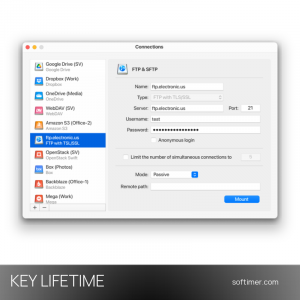
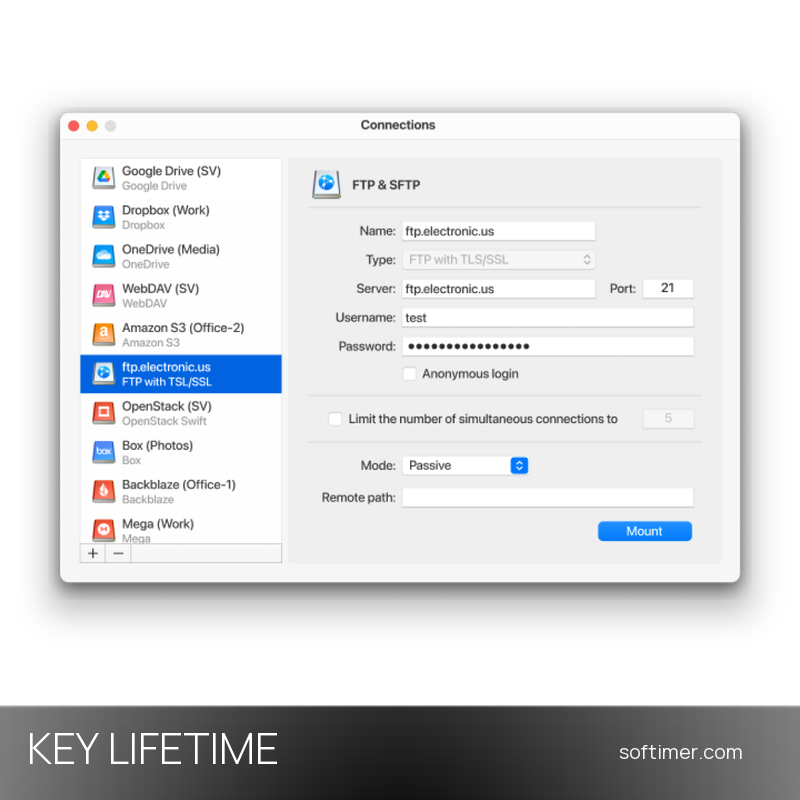
- Cloud storage as a local drive: Google Drive, Dropbox, OneDrive, Box, MEGA and Amazon S3 mount like ordinary volumes; the Mac version also supports pCloud, Backblaze B2 and OpenStack Swift. Files are read on demand instead of being synced.
- Remote servers in the file manager: FTP, FTPS, SFTP and WebDAV connections appear as folders in the Finder or in File Explorer, so uploading to a web server is as simple as copying a file.
- Unlimited accounts side by side: Several accounts of the same service, for example a work and a personal Dropbox, stay mounted at the same time, each with its own name in the sidebar.
- Client-side encryption: Selected cloud folders are encrypted with AES-256 before the data leave the computer; the files can be read only through CloudMounter with your password.
- Transfers between clouds: Drag a file from one mounted service to another and CloudMounter moves it directly, without a manual download and re-upload.
- Free disk space and offline files: Because the data stay in the cloud until opened, the local disk stays free; on the Mac, chosen files can be kept for offline use and status badges in the Finder show what is available.
Product Details:
- Product: CloudMounter
- Version: current release (version 4.x for macOS, 3.x for Windows); updates within the same major version included
- License Type: perpetual license key, no expiry
- Platform: macOS
- Devices: 1 Mac
- Language: Multilingual (English, German, French, Italian, Spanish, Japanese, Chinese and other languages; no Russian interface)
- Delivery: license key and instructions by email after the order has been verified (not instant, usually within a few hours)
- Activation: activation code entered in the app (Mac: menu bar icon, Activate; Windows: Help menu, Activate), verified online; no user account required
- Publisher: Electronic Team, Inc. (Eltima)
- Edition: download version from the developer's website (the Mac App Store and Setapp builds are licensed differently)
System Requirements:
- Operating System: macOS 12.4 Monterey or later for the Mac version (Apple silicon and Intel); Windows 7 SP1, 8, 10 or 11 for the Windows version
- Internet connection: required to activate the code and for the periodic background license check; the app needs a connection anyway to reach your cloud accounts
How to Activate:
- Download CloudMounter from the developer's website and install it; use this build, not the Mac App Store one, because the App Store version is licensed through Apple's in-app purchases.
- On the Mac, click the CloudMounter icon in the menu bar and choose Activate; on Windows, open the Help menu and choose Activate.
- Paste the activation code from the email into the window and click Activate: a confirmation appears once the license has been verified online.
- If the Mac is not connected to the internet, choose Activate manually and follow the instructions shown; the license is re-checked in the background from time to time, so the computer should go online occasionally.
Delivery:
This product is delivered digitally. After your purchase is confirmed, the license key and activation guidance are sent to the email address provided at checkout. Delivery times may vary depending on the product type.
Same products


- New


- New



- New


- New
Feedback
This product has no reviews. Be the first to review this product!
Share your opinion about the product
This will help other buyers make purchasing decisions
Write a review