


ManyCam Premium 9 - 1 Year - ACCOUNT

- New
ManyCam Premium 9 - 1 Year Account
ManyCam is the live video software and virtual webcam developed by ManyCam ULC: it sits between your cameras and the programs you use, so conferencing and streaming apps see one ManyCam camera whose picture you control. It is aimed at streamers, teachers, presenters and teams who spend their day on video calls and want to mix several sources, add graphics and change the background without a studio. Premium is the highest of ManyCam's individual plans, above Standard and Studio: it keeps every tool of the lower plans and raises the limits on video sources and output quality. This listing is a ready ManyCam account with the Premium plan already active.
This product is account access to ManyCam Premium 9 for 1 year: you receive the login details by email and use the service for 1 user (Windows and macOS).
In a typical setup ManyCam runs in the background with a few presets prepared in advance: the webcam with a slide deck, a second camera, a video clip or the shared screen. You pick ManyCam as the camera in Zoom, Teams, Google Meet, Discord or the browser and, during the call or the broadcast, you switch presets, blur the background or add a title without touching the other program, while the same picture can be recorded to a file.
Key Features:
- Virtual webcam for any app: ManyCam appears in the system as a camera and a microphone, so conferencing tools, browsers and recording software receive the picture you have put together.
- Virtual backgrounds and Chroma Key: Blur, remove or replace the background with an image or a video without a green screen; with a green or blue screen the Chroma Key settings give cleaner edges.
- Multiple sources and presets: Webcams, desktop capture, video files, images, IP cameras and web pages are combined into presets that you switch with one click, with the widest source limits of the individual plans.
- Layers, titles and effects: Picture-in-picture layers, animated titles, the whiteboard, drawing tools and the full library of effects, filters and masks add information and style to the picture while you are live.
- Streaming and recording: Broadcast over RTMP to platforms such as YouTube Live or Facebook, record the session to a file and take snapshots from the toolbar, at the higher quality settings of the plan.
Product Details:
- Product: ManyCam
- Version: 9
- License Type: account access for 1 year
- Duration: 1 year
- Platform: Windows and macOS
- Devices: 1 user
- Language: Multilingual (English, German, French, Italian, Russian, Spanish, Portuguese, Dutch, Japanese, Chinese, Korean)
- Delivery: login details (e-mail and password) and instructions by email after payment confirmation
- Activation: online through a ManyCam account signed in inside the application
- Region: not specified – if you need activation in a specific country, contact us before ordering
- Account holder: the account is created and kept by the supplier: it is not registered in your name and the supplier keeps control of it, so it has to be used exactly as delivered
- Account mailbox: the mailbox of the account is not provided: verification codes and password recovery messages sent to that address cannot be received, so the account details must be left as delivered
- Replacement warranty: the supplier guarantees the replacement of the account for 14 days from delivery
- Publisher: ManyCam ULC
System Requirements:
- Internet: A connection is needed to sign in to the ManyCam account, download effects and stream
- Video source: A webcam or another source (video file, screen capture, IP camera or the mobile app) to build the picture
How to Activate:
- Download ManyCam for Windows or macOS from the ManyCam website and install it.
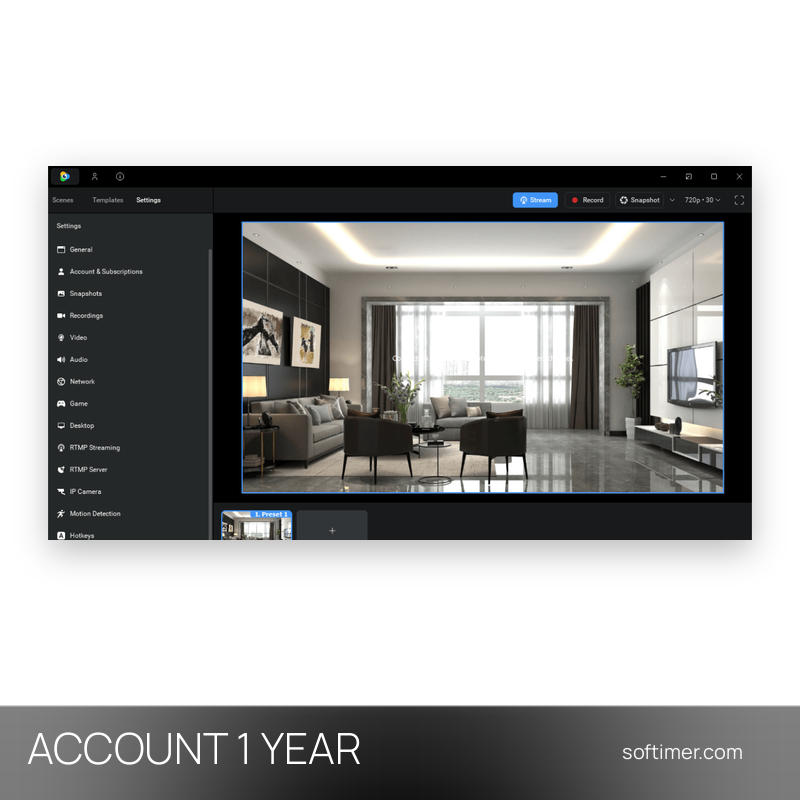
- Open Settings and then Account and Subscriptions and sign in with the email address and password delivered with your order: the paid plan is already linked to that account.
- Do not change the account email, password or other details and do not add payment methods unless we tell you to.
Delivery:
This product is delivered digitally. After your purchase is confirmed, the login details and usage instructions are sent to the email address provided at checkout. Delivery times may vary depending on the product type.
Same products


- New

- New

- New


- New

- New


- New
- New



- New

- New

- New



- New
- New
Feedback
This product has no reviews. Be the first to review this product!
Share your opinion about the product
This will help other buyers make purchasing decisions
Write a review