


PixPin - 1 Year License KEY - Windows


- New
PixPin - 1 Year License
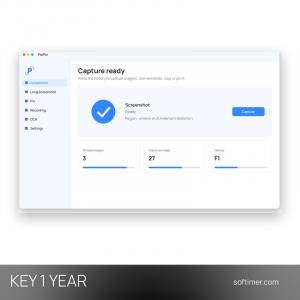
PixPin is a lightweight desktop tool for screenshots, screen recording, text recognition and pinning images or text on top of other windows. It suits office workers, designers, developers and students who capture parts of the screen every day and want to annotate, compare or copy them without opening a separate editor. What you buy is a license key for the paid version of PixPin for Windows, entered in the program after installation.
This product is a license key for PixPin: it can be used on Windows, with a validity of 1 year as declared by the supplier (start of the period not stated); the number of PCs is not stated by the supplier. The key is delivered by email together with the activation instructions.
A typical workflow starts with a hotkey: you select an area, add arrows or text, then copy the image, save it or pin it next to the window you are working in. Pinned snippets stay on top, so you can keep a reference, a code fragment or a table in view while typing elsewhere.
Key Features:
- Pin to desktop: Any screenshot, image or piece of text can be pinned on top of other windows, moved, zoomed and kept in view as a quick reference.
- Smart screenshots: Captures a region, a window or interface elements detected automatically, and supports long screenshots of scrolling pages.
- Annotation tools: Arrows, shapes, text, highlighter, mosaic and numbered markers can be added right after the capture.
- Text recognition (OCR): Extracts text from screenshots and images so it can be copied and edited instead of retyped.
- Recording and color picker: Records the screen as a GIF or MP4 video and picks any color on the screen in HEX or RGB format.
Product Details:
- Product: PixPin
- Version: current version, with all updates released during the license term
- License Type: license key, validity of 1 year as declared by the supplier (start of the period not stated)
- Platform: Windows
- Devices: number of PCs not stated by the supplier
- Language: English, Chinese
- Delivery: license key and instructions by email after the order has been verified (not instant, usually within a few hours)
- Activation: online, license key entered in the application
- Region: not specified – if you need activation in a specific country, contact us before ordering
How to Activate:
- Download PixPin from the developer's website and install it on your Windows computer.
- Start PixPin, right-click its icon in the system tray and open Settings.
- Go to the license or activation section, enter the key you received and confirm.
Delivery:
This product is delivered digitally. After your purchase is confirmed, the license key and activation guidance are sent to the email address provided at checkout. Delivery times may vary depending on the product type.
Same products



- New


- New


- New


- New




- New



- New
Feedback
This product has no reviews. Be the first to review this product!
Share your opinion about the product
This will help other buyers make purchasing decisions
Write a review