


LaunchBar 6 - Lifetime License KEY - Mac

- New
LaunchBar 6 - Perpetual License
LaunchBar is a keyboard-driven launcher for macOS developed by Objective Development in Vienna: a bar appears with a hotkey, you type a short abbreviation and the app opens applications, documents, contacts, bookmarks or system settings in a moment. It suits Mac users who prefer the keyboard to the mouse and the Dock: writers, developers, designers and anyone who switches between many apps and files during the day and wants to keep both hands on the keys. This listing is a license key for LaunchBar: entered once in the app, it removes the pauses of the unregistered version and unlocks the full launcher for the major version it was issued for.
This product is a perpetual license key for LaunchBar 6: it does not expire and can be used on 1 Mac running macOS. The key is delivered by email together with the activation instructions.
A typical session starts with the hotkey: a few letters open an app, the Tab key sends the selected file to another program, an older clipboard entry is pasted, a sum is calculated or a web search launched, all without leaving the keyboard; LaunchBar learns which abbreviations you use for each item and gets faster over time.
Key Features:
- Abbreviation search: Type any abbreviation of a name and LaunchBar finds the matching item; the app adapts to the shortcuts you actually use and ranks them first the next time.
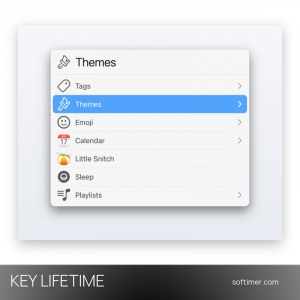
- Everything in one bar: Applications, files and folders, contacts, calendar events, browser bookmarks and history, Finder tags and system settings are indexed and reachable from the same input field.
- Clipboard history and snippets: Recent clipboard entries stay in a list you can paste from, several items can be merged and text snippets expand with placeholders.
- File management: Folders are browsed with the arrow keys and files are moved, copied, renamed, trashed or opened with another app through Send To (Tab), without opening a Finder window.
- Actions and scripts: Built-in actions cover files, text, emoji and music, and the Action Editor lets you write your own in AppleScript, JavaScript, Ruby, Python or PHP.
Product Details:
- Product: LaunchBar
- Version: 6
- License Type: perpetual license key, no expiry
- Platform: macOS
- Devices: 1 Mac
- Language: Interface in English and German
- Delivery: license key and instructions by email after the order has been verified (not instant, usually within a few hours)
- Activation: License key entered in the app; no user account required
- Publisher: Objective Development Software GmbH
System Requirements:
- Operating System: macOS 12 Monterey or later for the current LaunchBar 6 release (universal build for Apple silicon and Intel Macs); earlier 6.x builds cover older macOS versions
- Note: A 30-day trial is available on the developer's website; afterwards the unregistered version pauses from time to time until a license key is entered
How to Activate:
- Download LaunchBar from the Objective Development website, move the app to the Applications folder and open it: it runs in the menu bar and appears with its hotkey.
- In the LaunchBar application menu choose the item for entering the license (the unregistered version also offers it in its registration window).
- Copy and paste the 25-character license key received by email (copy and paste avoids typing errors) and confirm.
- LaunchBar is now registered: the pauses of the unregistered version disappear; keep the key for future reinstalls.
Delivery:
This product is delivered digitally. After your purchase is confirmed, the license key and activation guidance are sent to the email address provided at checkout. Delivery times may vary depending on the product type.
Same products

- New


- New



- New


Feedback
This product has no reviews. Be the first to review this product!
Share your opinion about the product
This will help other buyers make purchasing decisions
Write a review