


Transmit 5 - Lifetime License KEY - Mac


- New
Transmit 5 - Perpetual License
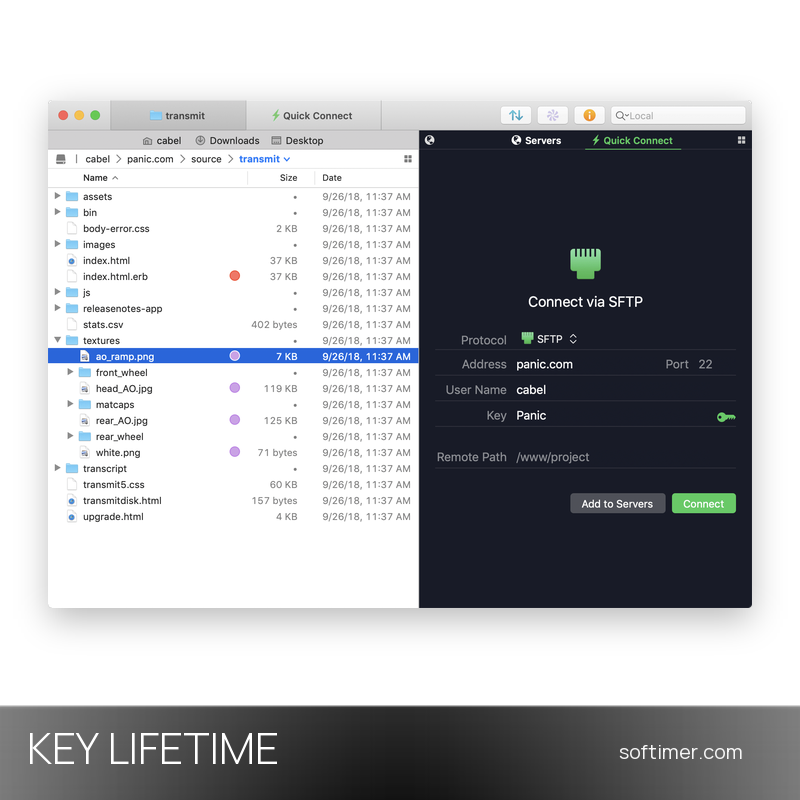
Transmit 5 is the file transfer client for macOS developed by Panic Inc.: from a single two-pane window it connects to FTP, SFTP and WebDAV servers, to Amazon S3 and to cloud storage such as Google Drive, Dropbox, OneDrive and Backblaze B2. It is made for web developers, system administrators, photographers and anyone who has to move files between a Mac and remote servers every day, with the speed and the look of a native Mac application. This listing is a license key for the version of Transmit 5 downloaded from the Panic website; the key is entered in the app and removes the limits of the trial.
This product is a perpetual license key for Transmit 5: it does not expire and can be used on 1 Mac running macOS. The key is delivered by email together with the activation instructions.
A typical workflow is site maintenance: your servers stay in the Favorites list, a local and a remote folder are open side by side, files are dragged from one pane to the other and Transmit queues the transfers and completes them in the background.
Key Features:
- Wide protocol support: Connects to FTP, SFTP, WebDAV and Amazon S3 servers as well as Backblaze B2, Box, Google Drive, Dropbox, Microsoft Azure, OneDrive for Business, Rackspace Cloud Files, DreamObjects and OpenStack Swift.
- Two-pane file browser: Local and remote folders sit side by side in one window; files move with drag and drop, uploads and downloads go into a queue and several servers can be open in tabs.
- File Sync: Compares a local folder with a remote one (or two remote locations with each other) and copies only what has changed; a simulation mode shows the result before anything is transferred.
- Panic Sync: Panic's encrypted sync service keeps saved servers and settings identical across Transmit installations, so nothing has to be configured again after a reinstall.
- Batch rename and file rules: Renames many remote files at once with patterns or search and replace, sets permissions and applies rules that skip or rename files automatically during transfers.
- Secure connections: Supports SSH keys with a built-in key manager, two-factor login, YubiKey hardware keys and NTLM or HTTP Digest authentication for WebDAV servers.
- macOS integration: Get Info sidebar with permissions and previews, Places bar, opening remote files in your own editor and a Terminal integration that starts an SSH session in the current folder.
Product Details:
- Product: Transmit 5
- Version: 5 (updates within version 5.x included)
- License Type: perpetual license key, no expiry
- Platform: macOS
- Devices: 1 Mac
- Language: Interface in English, German, French and Chinese
- Delivery: license key and instructions by email after the order has been verified (not instant, usually within a few hours)
- Activation: serial number entered in the app (Transmit menu, License…), checked online; no account required
- License registration: the license is registered and authorized by the supplier: the activation data cannot be changed or transferred to another name or e-mail
- Publisher: Panic Inc.
- Edition: Download version from the Panic website (not the Mac App Store subscription)
System Requirements:
- Operating System: macOS 13 Ventura or later for the current release; earlier 5.x releases run on macOS 10.13 and later
- Processor: Apple silicon or Intel Mac
- Internet: Connection required for the license check and, of course, for connecting to servers
How to Activate:
- Download Transmit 5 from the Panic website (not from the Mac App Store, which offers a separate subscription version) and move the app to the Applications folder.
- Open Transmit and choose License… from the Transmit menu in the menu bar.
- Enter the registration name and the serial number received by email exactly as written and confirm: the app contacts Panic's servers to validate the license.
- The trial limits disappear immediately; keep the serial number in a safe place for future reinstalls.
Delivery:
This product is delivered digitally. After your purchase is confirmed, the license key and activation guidance are sent to the email address provided at checkout. Delivery times may vary depending on the product type.
Same products


- New

- New



- New



- New

- New

- New


- New





- New


Feedback
This product has no reviews. Be the first to review this product!
Share your opinion about the product
This will help other buyers make purchasing decisions
Write a review