


AOMEI Partition Assistant Technician 8.5 - Lifetime License KEY - Windows
- New
AOMEI Partition Assistant Technician 8.5 - Perpetual License
AOMEI Partition Assistant is the disk and partition manager developed by AOMEI Technology for Windows computers: it creates, resizes, moves, merges, splits, formats and copies partitions on internal drives, external drives and USB media. It is aimed at anyone who runs out of space on the system drive, replaces a hard disk with an SSD or has to reorganise a disk layout without reinstalling Windows and the installed programs. This listing is a paid license for the edition shown in the product name, which unlocks the operations the free edition does not perform; the program is downloaded from the developer and unlocked with the code you receive.
This product is a perpetual license key for AOMEI Partition Assistant Technician 8.5: it does not expire and can be used on Windows; the number of PCs is not stated by the supplier. The key is delivered by email together with the activation instructions.
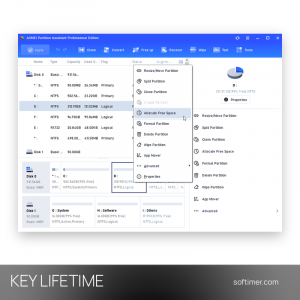
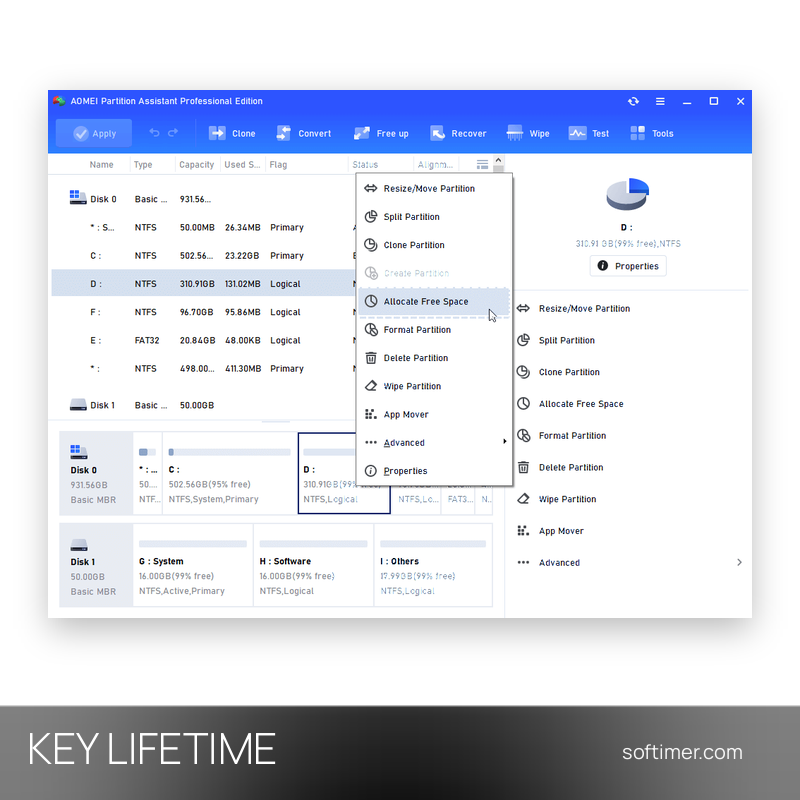
A common job takes a few minutes: shrink a data partition, give the free space to the system volume and let the program apply the queued operations, restarting the machine only when the boot volume is involved. Migrating to a new drive follows the same logic, with a wizard that copies Windows to the SSD and leaves the old disk untouched until you are sure the new one starts.
Key Features:
- Resize and move partitions: Enlarges, shrinks, merges and splits volumes while keeping the files in place, so a full system partition can be extended with space taken from another volume.
- Migrate OS to SSD or HDD: A guided wizard copies the Windows installation and its boot files to another drive, so the computer starts from the new disk without reinstalling anything.
- Disk and partition clone: Copies an entire drive or a single volume to another disk, with the option to adapt the partition sizes to a target of a different capacity.
- Convert without formatting: Switches a disk between MBR and GPT, a partition between FAT32 and NTFS and a volume between primary and logical, keeping the data that is already on it.
- Bootable rescue media: Builds a bootable USB stick based on Windows PE that runs the program outside Windows, useful when the system no longer starts or the boot volume has to be repaired.
- Disk checks and secure wipe: Tests surfaces for bad sectors, checks file systems for errors and erases a disk or a partition with several overwrite passes before it leaves the office.
Product Details:
- Product: AOMEI Partition Assistant
- Version: 8.5
- License Type: perpetual license key, no expiry
- Platform: Windows
- Devices: number of PCs not stated by the supplier
- Language: Multilingual (English, German, French, Italian, Russian and other languages)
- Delivery: license key and instructions by email after payment confirmation (usually within a few hours)
- Activation: license code entered in the installed program
- Region: not specified – if you need activation in a specific country, contact us before ordering
- Notes: The key is for version 8.5 (2019) of the program: install exactly version 8.5 from the official AOMEI download link we send with the key, because newer versions may not accept it; upgrades to later major versions are not included
- Publisher: AOMEI Technology, Chengdu AOMEI Tech Co., Ltd.
System Requirements:
- Operating System: Windows 11, 10, 8.1, 8 and 7 (32-bit and 64-bit); the Professional edition is for desktop Windows only, while the Server and Technician editions also run on Windows Server
- Hardware: About 500 MB of free disk space; MBR and GPT disks, HDD, SSD, external drives and USB media are supported
How to Activate:
- Download the Partition Assistant installer from the AOMEI website and install it on the computer you want to manage.
- Start the program and open the registration window from the main menu.
- Enter the license code you received by email and confirm.
- The functions of the purchased edition are unlocked immediately and the edition is shown in the program window.
Delivery:
This product is delivered digitally. After your purchase is confirmed, the license key and activation guidance are sent to the email address provided at checkout. Delivery times may vary depending on the product type.
Same products


- New
- New


- New


- New

- New




- New


- New



- New

- New
Feedback
This product has no reviews. Be the first to review this product!
Share your opinion about the product
This will help other buyers make purchasing decisions
Write a review