


ApowerMirror Personal - Lifetime License KEY - Windows / Mac
- New
ApowerMirror Personal - Perpetual License
ApowerMirror is the screen mirroring and remote control application developed by Apowersoft: it streams the screen of an iPhone, iPad or Android device to a Windows PC or Mac in real time, with audio, and can also send the computer screen to a phone, a tablet or a TV. It is made for people who present, teach, stream mobile games or give technical support and want to show a phone on a bigger display, record it or operate an Android device with mouse and keyboard. This listing is a paid VIP license for the desktop application: the activation code is applied to an Apowersoft account and removes the limits of the free version, such as the ten-minute session limit, the watermark and the cap of one mirrored device at a time.
This product is a perpetual license key for ApowerMirror Personal: it does not expire and can be used on 1 PC running Windows and macOS. The key is delivered by email together with the activation instructions.
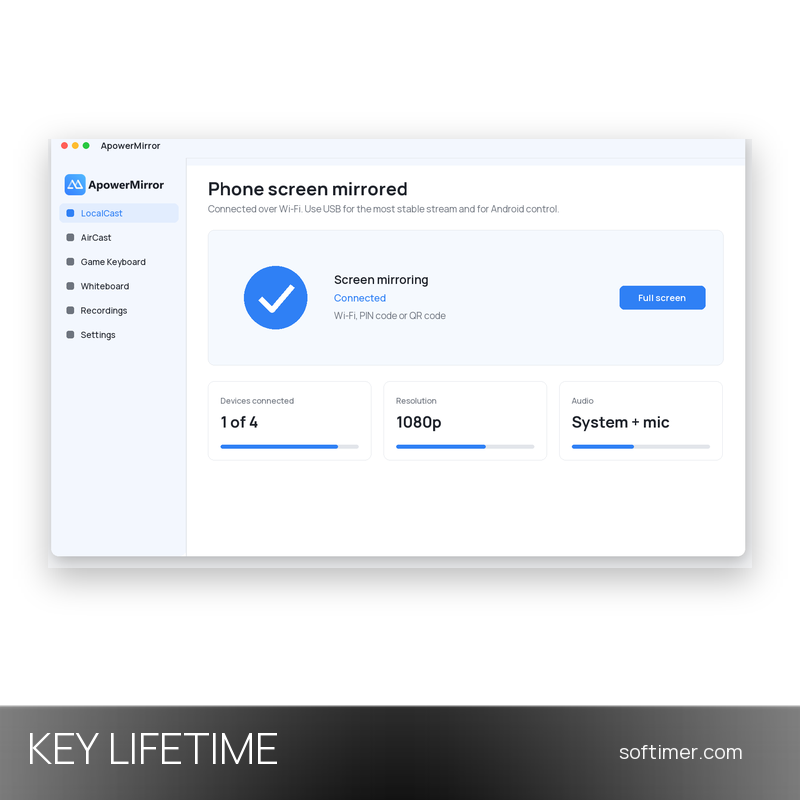
In a typical setup the phone and the computer share the same Wi-Fi network: you open the mobile app, pick the computer from the list or scan the QR code shown on the desktop, and the phone screen appears on the computer. A USB cable gives the most stable stream for gaming and Android control; AirCast, the cloud mode for devices on different networks, is offered separately on a time basis.
Key Features:
- Phone to PC mirroring with audio: Streams the screen of an iOS or Android device to the computer over Wi-Fi or USB, with system audio and microphone; iOS devices reach up to 2K resolution with the VIP license.
- Android control from the computer: After a first connection with a USB cable, the Android device is operated with mouse and keyboard: you type messages, open apps and play games from the desk.
- Game Keyboard: Maps the touch controls of mobile games to keys on the computer keyboard; the VIP license unlocks custom key layouts instead of the default hotkeys.
- Screenshots and screen recording: Captures the mirrored screen as an image or records it as a video file on the computer, without watermark: practical for tutorials, demos and bug reports.
- Whiteboard and annotation: Lets you draw, highlight and write notes over the mirrored screen during a lesson or a meeting, or switch to a blank whiteboard.
- Multi-device and reverse mirroring: Shows up to four phones or tablets in one window at the same time and can send the computer screen to a phone, a tablet or a TV running the ApowerMirror app.
Product Details:
- Product: ApowerMirror
- Version: current version at the time of purchase; updates according to the vendor's policy
- License Type: perpetual license key, no expiry
- Platform: Windows and macOS
- Devices: 1 PC
- Language: Multilingual (English, German, French, Italian, Spanish and other languages)
- Delivery: license key and instructions by email after the order has been verified (not instant, usually within a few hours)
- Activation: the key is linked to your account with the software vendor (sign in or create one)
- Publisher: Apowersoft Limited
System Requirements:
- Operating System: Windows PC or Mac for the desktop application; the ApowerMirror mobile app runs on iOS 13 or later and on Android
- Network: Phone and computer on the same Wi-Fi network, or a USB cable (needed for Android control and for the most stable stream)
- Account: An Apowersoft account (e-mail address) to activate the license and use the VIP features
How to Activate:
- Download ApowerMirror from the Apowersoft website and install it on your Windows PC or Mac.
- Open the app, click the account icon in the top-right corner and sign in with an Apowersoft account that is not yet VIP (or choose Sign up and register with your e-mail address).
- Click the account icon again and choose Activate VIP.
- Enter the activation code received by e-mail and confirm with OK: the account switches from trial to VIP and the limits of the free version disappear.
Delivery:
This product is delivered digitally. After your purchase is confirmed, the license key and activation guidance are sent to the email address provided at checkout. Delivery times may vary depending on the product type.
Same products


- New


- New


- New


- New

- New

- New

- New


- New

- New

- New


- New





Feedback
This product has no reviews. Be the first to review this product!
Share your opinion about the product
This will help other buyers make purchasing decisions
Write a review