


MobiKin Assistant for iOS - 1 Year License KEY - Windows
- New
MobiKin Assistant for iOS - 1 Year License
MobiKin Assistant for iOS is a Windows program by MobiKin for managing the content of an iPhone, iPad or iPod touch from a PC. It suits users who want to move photos, music, contacts and messages to the computer, keep backups of their device or edit its data without going through the iTunes library. The purchase is a license key that unlocks the full version of the Windows program in place of the free trial.
This product is a license key for MobiKin Assistant for iOS: it can be used on 1 PC running Windows, with a validity of 1 year as declared by the supplier (start of the period not stated). The key is delivered by email together with the activation instructions.
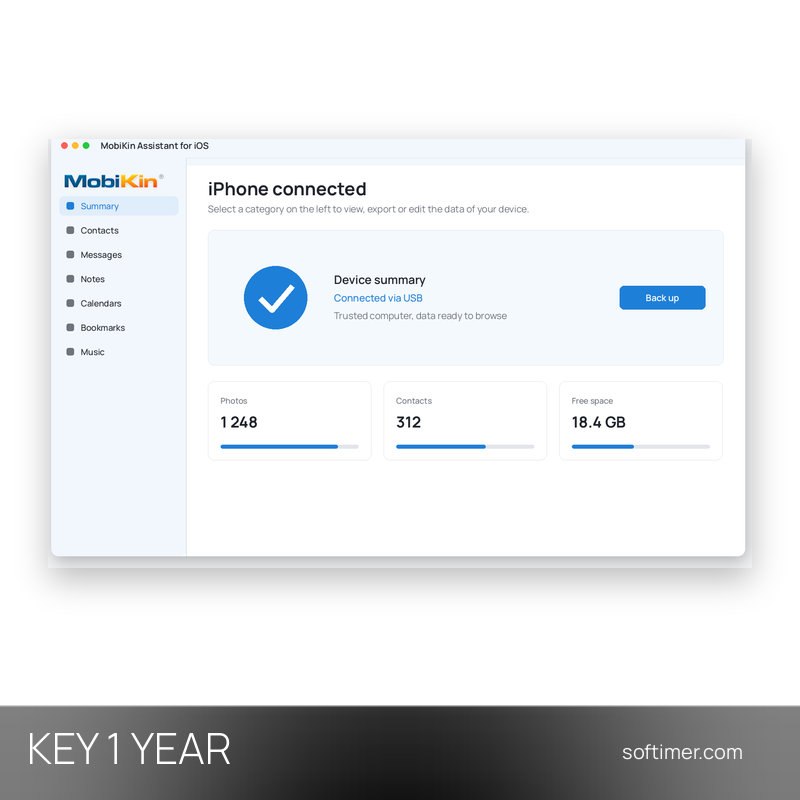
A typical use is before changing phone or freeing up space: you connect the iPhone to the PC with a USB cable, check the device summary, copy photos, videos and music to a folder on the computer and export contacts and messages in a readable format. The same window can then save a full backup and restore it later.
Key Features:
- Transfer to the computer: Around fourteen types of data, including photos, videos, music, contacts, messages, notes, Safari bookmarks, voice memos and books, can be copied to the PC.
- Edit data from the PC: Contacts, messages, photos, music and apps can be added, edited or deleted on the device directly from the program window.
- Import from the computer: Contacts, calendars, books and bookmarks stored on the PC can be imported back to the iPhone, iPad or iPod touch.
- Backup and restore: A one-click backup saves the device data on the computer, and iTunes backups can be restored selectively or deleted when no longer needed.
- Device overview: The summary screen shows the model, iOS version, battery and storage use of the connected device at a glance.
Product Details:
- Product: MobiKin Assistant for iOS (Windows)
- Version: current version, with all updates released during the license term
- License Type: license key, validity of 1 year as declared by the supplier (start of the period not stated)
- Platform: Windows
- Devices: 1 PC
- Language: Interface in English
- Delivery: license key and instructions by email after payment confirmation (usually within a few hours)
- Activation: online, license key entered in the application
- Region: not specified – if you need activation in a specific country, contact us before ordering
- Activation deadline: the code must be redeemed within 14 days of purchase
- Publisher: MobiKin
System Requirements:
- Operating System: Windows 11, 10, 8 or 7
- Software: A recent version of iTunes for Windows installed on the computer
- Connection: USB cable to connect the iPhone, iPad or iPod touch; confirm Trust this computer on the device
How to Activate:
- Download the free version of MobiKin Assistant for iOS for Windows from the MobiKin website and install it.
- Start the program and open the registration window with the key icon (Register) in the top bar.
- Enter the registration details you received and confirm to unlock the full version.
- Connect your iPhone, iPad or iPod touch with the USB cable and tap Trust on the device when asked.
Delivery:
This product is delivered digitally. After your purchase is confirmed, the license key and activation guidance are sent to the email address provided at checkout. Delivery times may vary depending on the product type.
Same products

- New

- New



- New

- New

- New




- New



- New
Feedback
This product has no reviews. Be the first to review this product!
Share your opinion about the product
This will help other buyers make purchasing decisions
Write a review