


PrintHelp Reset Key 5 Codes - License KEY - Windows
- New
PrintHelp Reset Key 5 Codes - License Key
PrintHelp is a free service program that reads and resets the waste ink pad counters of Epson inkjet printers and all-in-one devices. When a counter reaches its limit, the printer stops and reports that service is required; on many recent models the reset in PrintHelp asks for a paid reset code. This listing is a set of PrintHelp reset codes: each code is used for one counter reset on one printer, so a pack covers several resets or several devices.
This product is a license key for PrintHelp Reset Key 5 Codes for use on Windows; the number of PCs is not stated by the supplier. The supplier does not state the duration of the license, so no specific validity period is guaranteed. The key is delivered by email together with the activation instructions.
A typical use is in a small office or repair shop that maintains several Epson printers: the counters are checked in PrintHelp, the absorber pads are cleaned or replaced or an external waste ink tank is fitted, and a code is entered to reset the counter. The reset alone does not empty the pads.
Key Features:
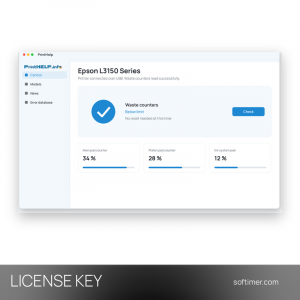
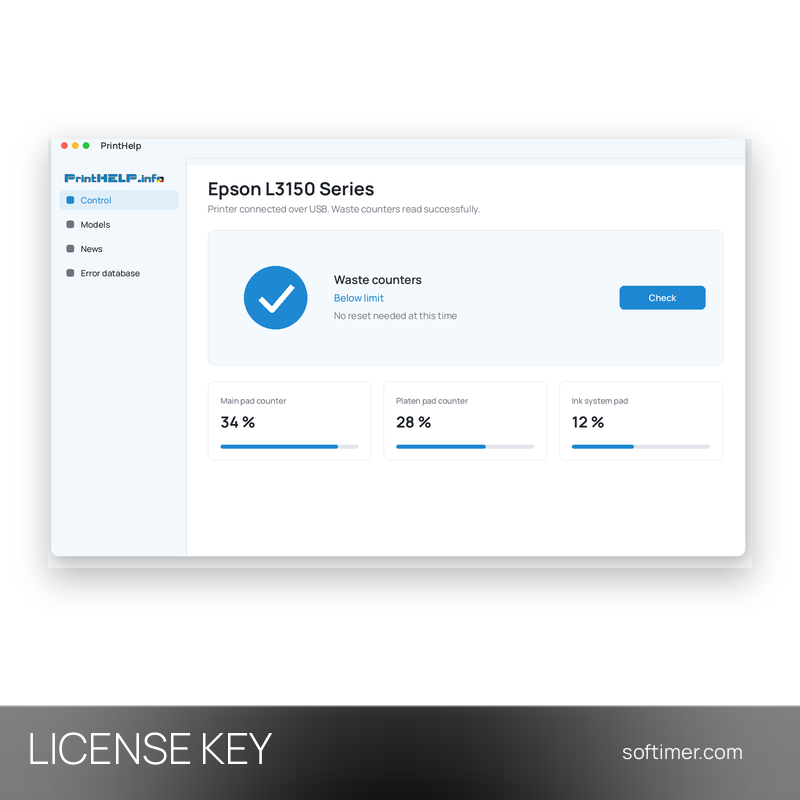
- Check Waste Counters: The free program shows the fill level of each waste ink counter, so you can see whether a reset is needed before buying or using a code.
- Reset Waste Counters: When a counter is above 100 percent, the reset button clears it and the printer can print again after a restart.
- One code, one reset: Each code in the pack unlocks a single reset, so the codes can be used over time on the same printer or on different ones.
- List of supported models: PrintHelp shows the Epson models it supports, which lets you confirm that your printer is covered before you use a code.
- Status and reports: The program can also read the printer status and create a report, useful to document the state of the device.
Product Details:
- Product: PrintHelp Reset Key
- Version: current version at the time of purchase
- License Type: license key; duration not stated by the supplier
- Platform: Windows
- Devices: number of PCs not stated by the supplier
- Language: Multilingual (English, Russian and other languages)
- Delivery: license key and instructions by email after payment confirmation (usually within a few hours)
- Activation: online, license key entered in the application
- Region: not specified – if you need activation in a specific country, contact us before ordering
- Notes: The package contains 5 reset codes for Epson waste ink pad counters; each code is used for one reset in PrintHelp. Check that your printer model is supported by PrintHelp before buying
- Publisher: PrintHelp
System Requirements:
- Operating System: Windows computer with the free PrintHelp program installed
- Printer: Epson inkjet model listed as supported in PrintHelp, connected to the computer
How to Activate:
- Install the free PrintHelp program and check that your printer model appears in the list of supported models.
- Connect the printer to the computer and click Check Waste Counters.
- If a counter is above 100 percent, click Reset Waste Counters.
- When the program asks for it, enter one of the reset codes you received and confirm.
Delivery:
This product is delivered digitally. After your purchase is confirmed, the license key and activation guidance are sent to the email address provided at checkout. Delivery times may vary depending on the product type.
Same products


- New





- New




- New



- New

- New





- New
Feedback
This product has no reviews. Be the first to review this product!
Share your opinion about the product
This will help other buyers make purchasing decisions
Write a review