


Adobe Acrobat Pro - 2 Devices / 1 Year TEAM INVITATION - Mac / Windows

- New
Adobe Acrobat Pro - 1 Year Team Invitation
Adobe Acrobat is the PDF application developed by Adobe Inc., the company that created the PDF format: it opens, creates, edits, converts, signs and protects PDF documents on the desktop. It is aimed at anyone who works with documents every day, from freelancers and students to offices and legal or administrative teams whose contracts, forms and reports must look the same on every device. This listing is a license for the Acrobat desktop application in the Standard or Pro edition shown in the product name; both editions share the same interface, and Pro adds the advanced tools for scanned documents, comparison and redaction.
This product is Adobe Acrobat Pro access for 1 year through an invitation to a team: after payment the e-mail address of your account is invited to a team where the plan is active, and you use it from your own account on 2 devices (macOS and Windows). The team is managed by the provider, who keeps its administrative control.
Acrobat fits naturally into a Microsoft Office workflow: a Word, Excel or PowerPoint file becomes a PDF with one click, and a PDF can go back to an editable Office document with fonts and layout preserved. Files stored in OneDrive, Dropbox, Box or Google Drive open directly from the app, and documents sent out for signature are tracked from the same window.
Key Features:
- Create and convert PDFs: Turn Office documents, images, scans, web pages and emails into PDF, or export a PDF to Word, Excel, PowerPoint and image formats while keeping fonts, tables and layout.
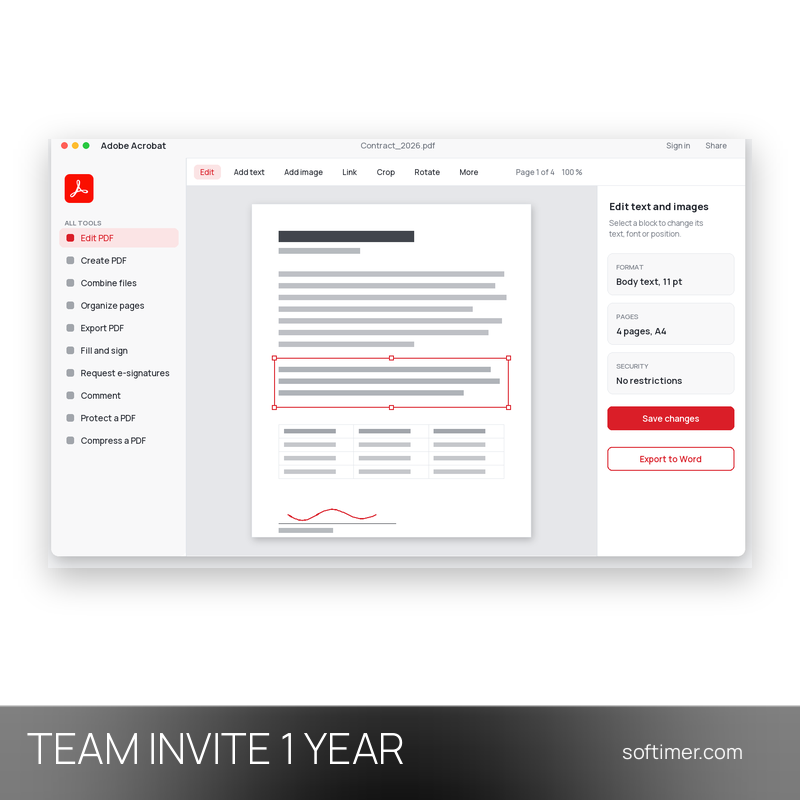
- Edit text and images: Change wording, fix typos, resize or replace images and adjust paragraphs directly in the PDF; the text reflows and the font is matched automatically.
- Organize and combine pages: Merge several files into one document, split a long PDF, and reorder, rotate, crop or delete pages by dragging the thumbnails.
- Fill, sign and e-signatures: Fill in forms, add your own signature and send documents to other people for electronic signature, following the status of each request from the app.
- Review and protect: Highlights, sticky notes, drawing tools and stamps let several people review the same document, while passwords and permissions restrict opening, printing, copying or editing.
- More in Acrobat Pro: Acrobat Pro adds text recognition (OCR) and editing of scanned documents, comparison of two PDF versions, permanent redaction of sensitive content and checks against the PDF/A, PDF/X and accessibility standards.
Product Details:
- Product: Adobe Acrobat Pro
- Version: current versions of the apps for all supported platforms
- License Type: invitation to a team with the plan active, 1 year
- Duration: 1 year
- Platform: macOS and Windows
- Devices: 2 devices
- Language: Multilingual (English, German, French, Italian, Russian and other languages)
- Delivery: invitation of your e-mail address to the provider's team or workspace after payment confirmation, confirmed by email; it is not an upgrade of your own account
- Region: not specified – if you need activation in a specific country, contact us before ordering
- Notes: multilingual interface; cloud storage included; The organization profile includes 1 TB of cloud storage. Keep your files, fonts and presets stored locally rather than in the cloud storage of the organization profile; your Behance profile stays on your personal profile
- Publisher: Adobe Inc.
System Requirements:
- Operating System: Windows 10 (64-bit, version 1809 or later) or Windows 11; macOS 12 or later for licenses that include the Mac version
- Processor: Intel or AMD processor at 1.5 GHz or faster; Apple silicon or Intel on Mac
- Memory: 2 GB of RAM
- Storage: 4.5 GB of free disk space on Windows, 2.75 GB on macOS
- Internet: Connection required for activation, sign-in and updates
How to Activate:
- Sign in at adobe.com with the Adobe ID whose e-mail address you gave us; when access comes through a team or organization, accept the invitation that arrives by e-mail.
- Download and install Acrobat or the Creative Cloud desktop app, then sign out and sign in again; if Adobe asks which profile to use, choose the team or organization profile instead of the personal one.
- Open Acrobat while online so the plan is verified: the tools of the edition shown in the product name appear in the Tools panel.
- Keep your documents saved on your own drive; updates are installed from the Help menu.
Delivery:
This product is delivered digitally as an invitation to a team or workspace managed by the provider, where the plan is active: it is not an upgrade of your own account and no license key is sent. After your purchase is confirmed, we contact you at the email address provided at checkout to ask for the e-mail address that should receive the invitation, and we confirm by email once the invitation has been sent. The provider keeps administrative control of the team. We never ask for your password.
Same products


- New

- New



- New


- New


- New




- New

- New

- New


- New


- New
Feedback
This product has no reviews. Be the first to review this product!
Share your opinion about the product
This will help other buyers make purchasing decisions
Write a review