


Termius Pro - 1 Year ACTIVATION on your account - Multi-platform
- New
Termius Pro - 1 Year Upgrade
Termius is the cross-platform SSH client developed by Termius Corporation: one application for SSH, SFTP, Telnet, Mosh and serial connections on Windows, macOS, Linux, iOS and Android. It is aimed at developers, system administrators and DevOps engineers who manage servers every day and want their hosts, keys and snippets available on every device they use. This listing refers to the Pro plan, the paid tier that adds the encrypted cloud vault with sync across devices, session logs and snippet automation to the free Starter features.
This product activates Termius Pro for 1 year on your own account (a free account with the service is enough, unless the details say otherwise): after payment we apply the subscription to the account you indicate, usable for 1 user (Windows, macOS, Linux, iOS and Android).
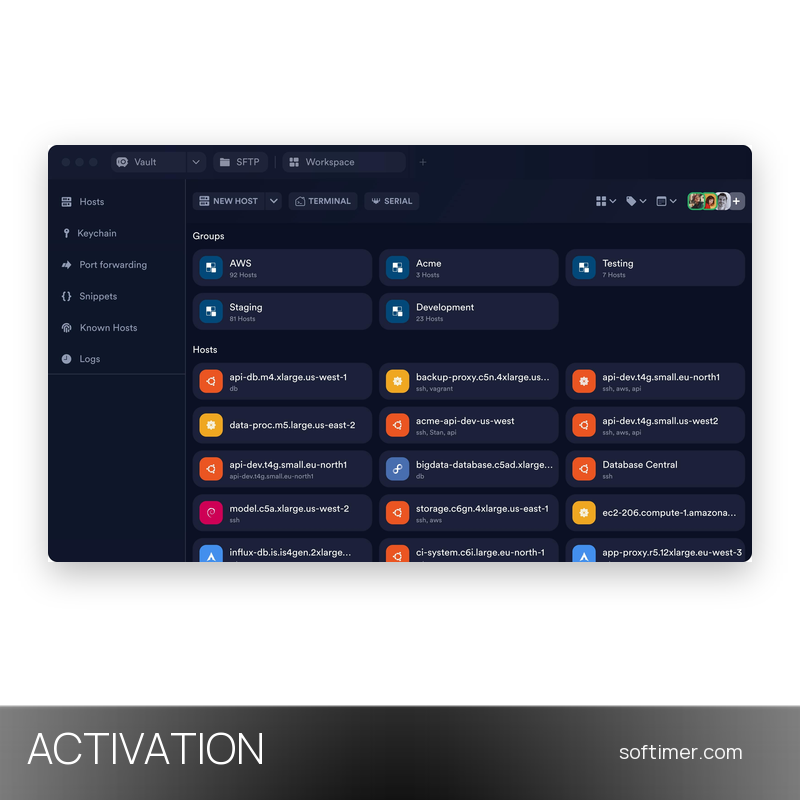
A typical setup keeps all servers organised in groups with tags, saved credentials and jump hosts, so a connection opened on the desktop can be resumed from the phone or tablet; snippets with variables replace long commands typed by hand, and the SFTP window sits next to the terminal for quick file transfers.
Key Features:
- Encrypted vault and sync: Hosts, SSH keys, identities and snippets are stored in an end-to-end encrypted vault and synchronised between the desktop and mobile apps, so every device has the same setup.
- SFTP client: A two-pane file browser transfers files between your computer and the server over SFTP, with drag and drop, right next to the terminal session.
- Snippets and automation: Frequently used commands are saved as snippets with variables and can be run on one or several hosts at once, straight from the terminal.
- Autocomplete and terminal: The terminal offers IDE-style autocomplete for commands and paths, tabs, split views, themes and support for SSH, Mosh, Telnet and serial connections.
- Port forwarding and jump hosts: Local, remote and dynamic port forwarding rules are saved with the host, and connections can pass through one or more bastion hosts automatically.
- Session logs: The terminal output of your sessions can be recorded and reviewed later, useful for audits and for tracing what was changed on a server.
Product Details:
- Product: Termius Pro
- Version: current versions of the apps for all supported platforms
- License Type: upgrade applied to your own account, 1 year
- Duration: 1 year
- Platform: Windows, macOS, Linux, iOS and Android
- Devices: 1 user
- Language: English (interface)
- Delivery: the subscription is applied to your own account: after payment we ask for the e-mail address of your account, never your password, and confirm by email when the upgrade is done
- Publisher: Termius Corporation
System Requirements:
- Operating System: Windows, macOS, Linux (desktop apps); iOS and Android (mobile apps)
- Internet: Connection required to sign in to the Termius account and to synchronise the vault
- Account: A free Termius account (email and password) is required; the Pro plan is linked to that account
How to Activate:
- Create a free Termius account on the Termius website or in the app, or use the one you already have: the Pro plan is linked to the account, not to a device.
- After payment, follow the instructions received by email: the subscription is applied to the account you indicate and we confirm as soon as the upgrade is active.
- Sign in to Termius on your computers and mobile devices with the same account: the Pro features become available and the vault starts syncing automatically.
- The plan and its status can be checked at any time in the account settings of the app or in the Termius web account.
Delivery:
This product is delivered digitally as an activation on your own account: no license key is sent. After your purchase is confirmed, we contact you at the email address provided at checkout to ask for the e-mail address of your account with the service, never the password, and we confirm by email once the subscription is active on your account.
Same products



- New


- New


- New


- New


- New



- New

- New


- New


- New

- New


- New
Feedback
This product has no reviews. Be the first to review this product!
Share your opinion about the product
This will help other buyers make purchasing decisions
Write a review