


Windows 10 Enterprise LTSC 2021 - Lifetime License KEY - Windows

- New
Windows 10 Enterprise LTSC 2021 - Perpetual License
Windows 10 Enterprise LTSC is the Long-Term Servicing Channel of the Enterprise edition of Windows 10, published by Microsoft for computers that must stay stable for years: until 2019 the same branch was called LTSB, Long-Term Servicing Branch. It is intended for workstations, kiosks, industrial and medical PCs, home labs and anyone who wants a lighter Windows 10 without the Microsoft Store, Cortana and the preinstalled apps, and who prefers security patches to twice-yearly feature updates. What you buy is a product key for Windows 10 Enterprise LTSC of the release stated in the listing: the key is entered during installation or afterwards in the Activation settings and activates the copy on the PC; it does not work on Home, Pro or standard Enterprise installation media.
This product is a perpetual license key for Windows 10 Enterprise LTSC 2021: it does not expire and can be used on 1 PC running Windows. The key is delivered by email together with the activation instructions.
Each LTSC release is a snapshot of Windows 10 that Microsoft services for several years with security and quality updates only, so the system you install today looks and behaves the same until the end of its support period. That makes it a practical base for machines running a fixed set of programs, for virtual machines and for users who find the standard edition too noisy, while everyday software, drivers and games run as on any other Windows 10.
Key Features:
- Long-term servicing: The release receives monthly security and quality updates for its whole support period and no feature updates, so nothing changes in the interface or in the components between one month and the next.
- No Store, Cortana or bundled apps: The Microsoft Store, Cortana, the news, weather and Xbox apps and the other preinstalled UWP apps are not part of LTSC, which reduces background activity, disk use and update traffic.
- Enterprise security tools: BitLocker drive encryption, AppLocker application control, Windows Defender Application Control and Credential Guard are available as in the full Enterprise edition.
- Domain, Group Policy and Remote Desktop: The PC can join an Active Directory domain, follow centrally managed Group Policy settings and act as a Remote Desktop host, and the update behaviour can be controlled through policies.
- Hyper-V and classic desktop: The built-in Hyper-V virtualisation platform is included on 64-bit hardware, and the desktop ships with the classic Windows components such as Windows Media Player and the traditional Control Panel.
Product Details:
- Product: Microsoft Windows 10 Enterprise LTSC
- Version: 2021
- License Type: perpetual license key, no expiry
- Platform: Windows
- Devices: 1 PC
- Language: Multilingual (English, German, French, Italian, Russian and other languages; the language depends on the installation media used)
- Delivery: license key and instructions by email after payment confirmation (usually within a few hours)
- Activation: online, license key entered in the application
- Region: not specified – if you need activation in a specific country, contact us before ordering
- Publisher: Microsoft
- Edition: Enterprise, Long-Term Servicing Channel (LTSC, formerly LTSB)
System Requirements:
- Processor: 1 GHz or faster, 32-bit (x86) or 64-bit (x64); Hyper-V requires a 64-bit processor with SLAT
- Memory: 1 GB of RAM (32-bit) or 2 GB of RAM (64-bit)
- Storage: 32 GB of free disk space
- Graphics: DirectX 9 graphics device with a WDDM 1.0 or later driver
How to Activate:
- Install Windows 10 Enterprise LTSC from installation media of the same release as the key (an ISO file written to a USB stick); a Home, Pro or trial installation cannot be converted with this key and must be reinstalled.
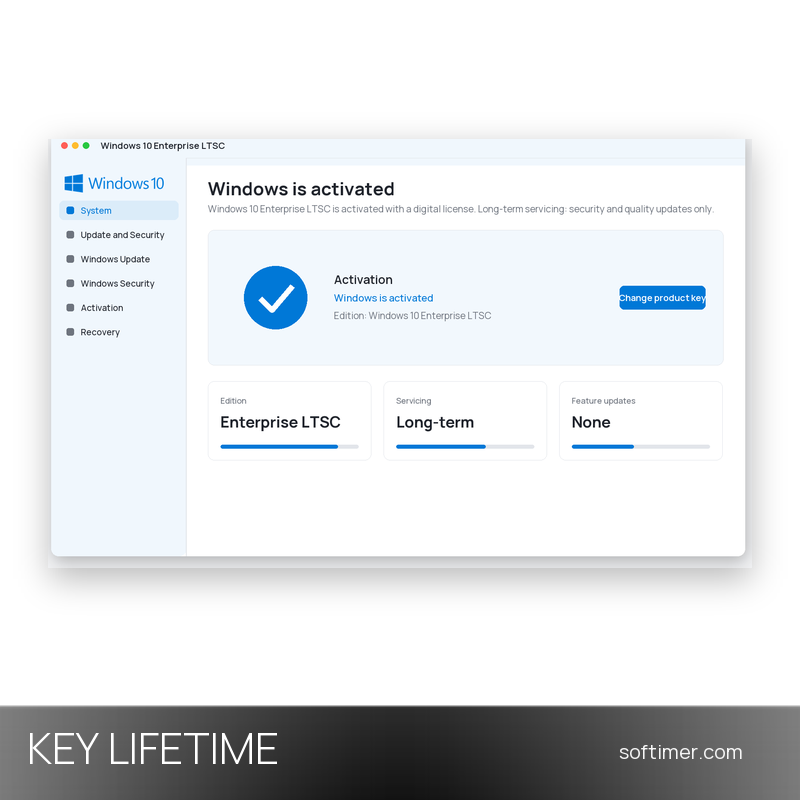
- During setup, enter the 25-character product key when asked, or skip the step and enter it later in Settings, Update and Security, Activation, under Change product key.
- Connect the PC to the internet: activation completes online in a few moments, and the Activation page shows that Windows is activated.
- Run Windows Update to install the latest security and quality updates for the release.
Delivery:
This product is delivered digitally. After your purchase is confirmed, the license key and activation guidance are sent to the email address provided at checkout. Delivery times may vary depending on the product type.
Same products



- New



- New


- New





- Out-of-Stock





- New


Feedback
This product has no reviews. Be the first to review this product!
Share your opinion about the product
This will help other buyers make purchasing decisions
Write a review