


Lunar Pro - 5 Macs / Lifetime License KEY - Mac
- New
Lunar Pro - Perpetual License
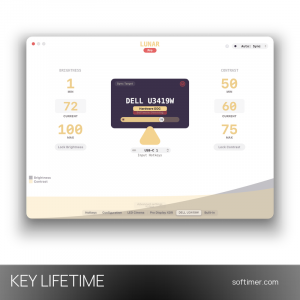
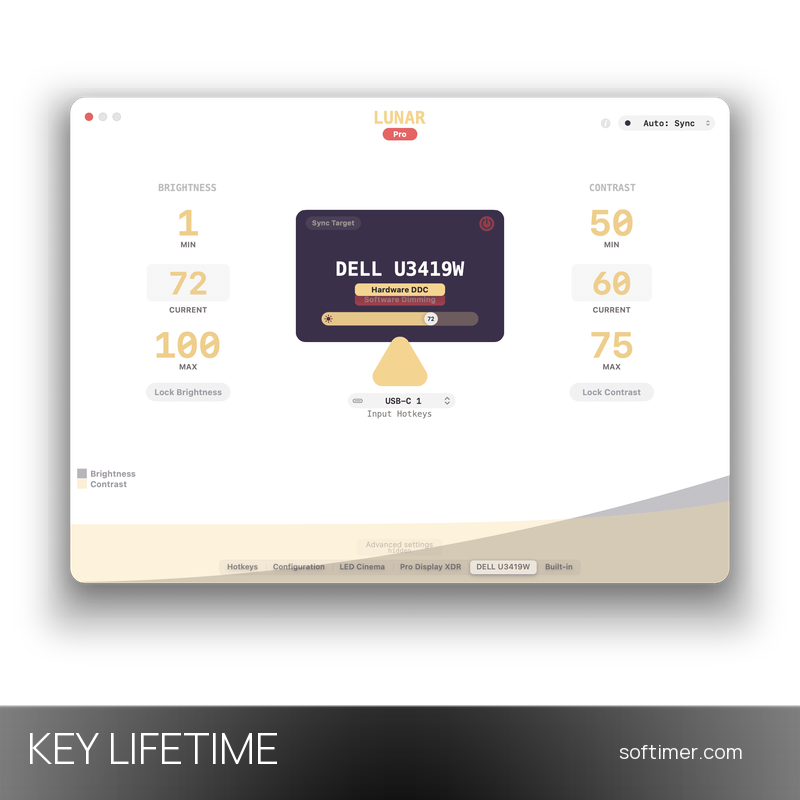
Lunar is a monitor control utility for macOS written by the independent developer Alin Panaitiu: from the menu bar it adjusts brightness, contrast, volume and input of external displays using the DDC/CI protocol, without overlays or extra hardware. It is made for Mac users who work with one or more external monitors and want them to behave like the built-in screen: keyboard keys that really change the hardware brightness, automatic adaptation to the surroundings and a way to switch a display off without pulling the cable. This listing is a license key for Lunar Pro: the code unlocks the Pro features in the app downloaded from the developer's website, while the basic DDC controls stay free.
This product is a perpetual license key for Lunar Pro: it does not expire and can be used on 5 Macs running macOS. The key is delivered by email together with the activation instructions.
A typical setup is a MacBook connected to one or two desktop monitors: Lunar keeps their brightness in step with the MacBook's adaptive screen during the day and lets you dim everything below the hardware minimum for late-night work.
Key Features:
- Sync Mode: Copies the MacBook's adaptive brightness, or the ambient light reading of an Apple display, to every external monitor so all screens change together.
- XDR Brightness: Unlocks the full brightness of the MacBook Pro screen and of the Pro Display XDR beyond the level macOS normally allows.
- Sub-zero dimming: Goes darker than the monitor's minimum through software dimming, useful in a dark room or when the panel is too bright at its lowest setting.
- BlackOut and Auto BlackOut: Turns off a display, or the MacBook screen as soon as a monitor is connected, without unplugging it and brings it back with a shortcut.
- Sensor, Clock and Location modes: Adapts brightness from an external light sensor, from a schedule you define or from the position of the sun at your location.
- Shortcuts and presets: Presets, hotkeys and macOS Shortcuts actions let you arrange monitors and automate brightness, contrast and input switching.
Product Details:
- Product: Lunar Pro
- Version: current version, with all updates released during the license term
- License Type: perpetual license key, no expiry
- Platform: macOS
- Devices: 5 Macs
- Language: English
- Delivery: license key and instructions by email after the order has been verified (not instant, usually within a few hours)
- Activation: online, license key entered in the Lunar Pro section of the app, on the number of Macs covered by the license
- Publisher: Alin Panaitiu (lunar.fyi)
System Requirements:
- Operating System: macOS 11 Big Sur or later, native on Apple silicon and Intel Macs (Lunar 3 available for macOS 10.12 and later)
- Display: Hardware controls need a monitor that supports DDC/CI; XDR Brightness needs a MacBook Pro from 2021 or later or a Pro Display XDR
How to Activate:
- Download Lunar from the developer's website and move it to the Applications folder, then open it and allow the permissions it asks for.
- Open the Lunar window from the menu bar icon and go to the Lunar Pro section.
- Enter the license key and, if requested, the email address the license is registered to, then confirm; an internet connection is needed for the check.
- The Pro features unlock at once; if the license covers more than one Mac, repeat the same steps with the same key on the other Macs.
Delivery:
This product is delivered digitally. After your purchase is confirmed, the license key and activation guidance are sent to the email address provided at checkout. Delivery times may vary depending on the product type.
Same products



- New


- New


Feedback
This product has no reviews. Be the first to review this product!
Share your opinion about the product
This will help other buyers make purchasing decisions
Write a review