


Paragon CampTune - Lifetime License KEY - Mac


- New
Paragon CampTune - Perpetual License
Paragon CampTune is a disk utility for macOS developed by Paragon Software, the German publisher of Hard Disk Manager and the NTFS for Mac driver, that moves free space between the macOS volume and the Windows volume of a Boot Camp installation. It is meant for owners of Intel Macs who run Windows through Boot Camp: when one of the two systems runs out of room, the boundary between the volumes can be shifted without reinstalling Windows, macOS or any application. This listing is a serial number for the software: entered in the app, it removes the 2 GB limit of the demo version and unlocks resizing operations of any size.
This product is a perpetual license key for Paragon CampTune: it does not expire and can be used on 1 Mac running macOS. The key is delivered by email together with the activation instructions.
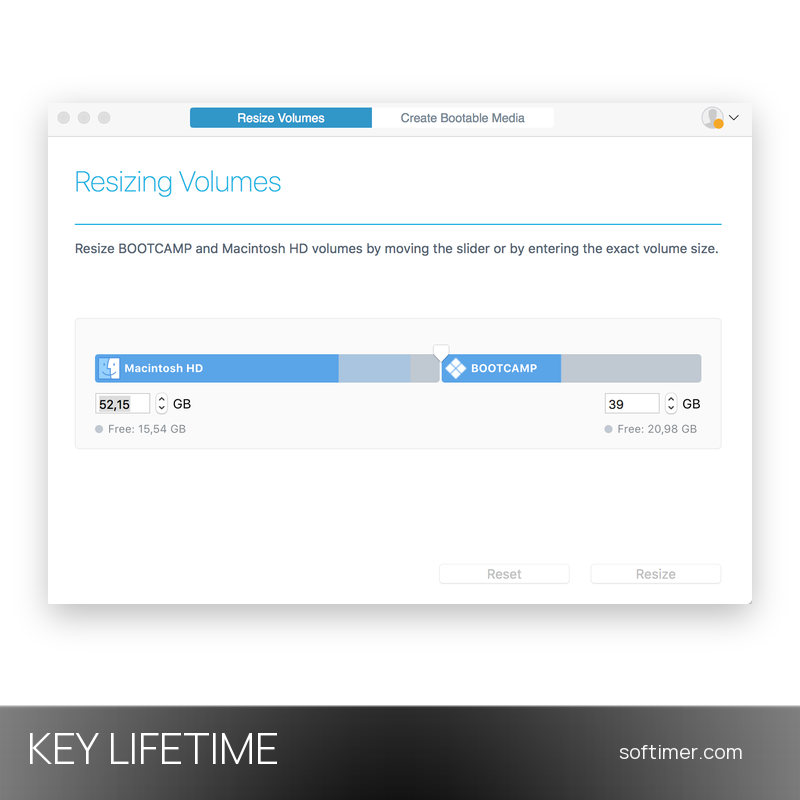
A typical case is a MacBook where Windows received 40 GB at setup and now needs more room for games or engineering software, or the opposite, with macOS full and the Boot Camp side half empty. CampTune shows both volumes on one bar and applies the new layout in a single operation that usually takes minutes.
Key Features:
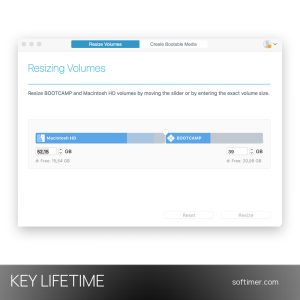
- Slider-based resizing: The Resize Volumes tab shows Macintosh HD and BOOTCAMP on one bar: drag the divider or type the exact size in gigabytes, then click Resize.
- No reinstallation: Windows, macOS and the installed applications stay where they are; there is no backup-and-restore cycle and the Boot Camp partition is not recreated.
- Works with System Integrity Protection: The system disk is resized directly from the running macOS with SIP turned on; the app checks the Boot Camp layout first and warns when it is not supported.
- Bootable media: The Create Bootable Media tab turns a USB stick or external drive into a recovery disk based on the macOS Recovery volume, for Macs that cannot start or run macOS 10.15 Catalina and earlier.
- Fusion Drive, FileVault and APFS: Logical volumes on hybrid Fusion Drives, FileVault-encrypted volumes and the Apple File System introduced with macOS 10.14 Mojave are supported.
- Clear result report: At the end the app confirms the operation and lists the previous and new size of each volume; the user icon in the window signs in to a Paragon account for support requests.
Product Details:
- Product: Paragon CampTune
- Version: version 12, current release (earlier releases were called CampTune X)
- License Type: perpetual license key, no expiry
- Platform: macOS
- Devices: 1 Mac
- Language: Multilingual (English and other languages)
- Delivery: license key and instructions by email after the order has been verified (not instant, usually within a few hours)
- Activation: serial number entered in the app after clicking Activate, online with or without a MyParagon account; offline activation via license file is available for Macs without an internet connection
- Publisher: Paragon Technologie GmbH (Paragon Software Group)
System Requirements:
- Operating System: macOS 10.12 Sierra to macOS 26 Tahoe; older builds for macOS 10.11 and earlier on request from the publisher's support
- Hardware: Intel-based Mac with an existing Boot Camp configuration; Macs with Apple silicon (M1 and later) are not supported
- Windows: any version supported by Boot Camp (Windows 7, 8.1, 10 and 11); the macOS and Windows volumes must be adjacent on the disk
How to Activate:
- Download the CampTune disk image from the Paragon Software website, drag the app to the Applications folder, open it and accept the license agreement.
- Click Activate in the welcome screen, then sign in with a MyParagon account (free to create) or choose Activate using Serial Number.
- Enter the serial number received by email and confirm: the demo limit is removed and the resize slider is fully unlocked.
- On a Mac without internet access the wizard offers an offline option: export the license file from the Paragon website on another computer and import it into the app.
Delivery:
This product is delivered digitally. After your purchase is confirmed, the license key and activation guidance are sent to the email address provided at checkout. Delivery times may vary depending on the product type.
Same products

- New






- Out-of-Stock


- New



- New

- New

- New

- New
Feedback
This product has no reviews. Be the first to review this product!
Share your opinion about the product
This will help other buyers make purchasing decisions
Write a review