


BusyCal - Lifetime License KEY - Mac
- New
BusyCal - Perpetual License
BusyCal is a calendar and task application for the Mac published by Busy Apps (Beehive Innovations), the team that also makes BusyContacts; it replaces the built-in Calendar app with a more configurable one that keeps the same accounts and data. It is aimed at people who plan their days in detail: freelancers, managers, students and families who juggle several calendars, shared events and reminders and want more control over how everything is displayed. This listing is a license key for the direct download version of BusyCal for macOS: the registration code unlocks the full application installed from the publisher's website, without an App Store subscription.
This product is a perpetual license key for BusyCal: it does not expire and can be used on 1 Mac running macOS. The key is delivered by email together with the activation instructions.
A common setup is a Mac with an iCloud or Google account already configured: BusyCal picks up the same calendars, adds its own views, filters and tags, and everything stays in sync with the Calendar app on the iPhone or with the separate BusyCal for iOS.
Key Features:
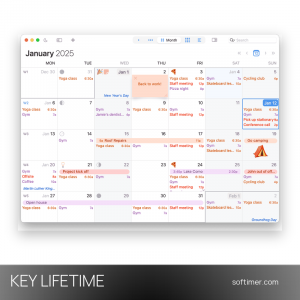
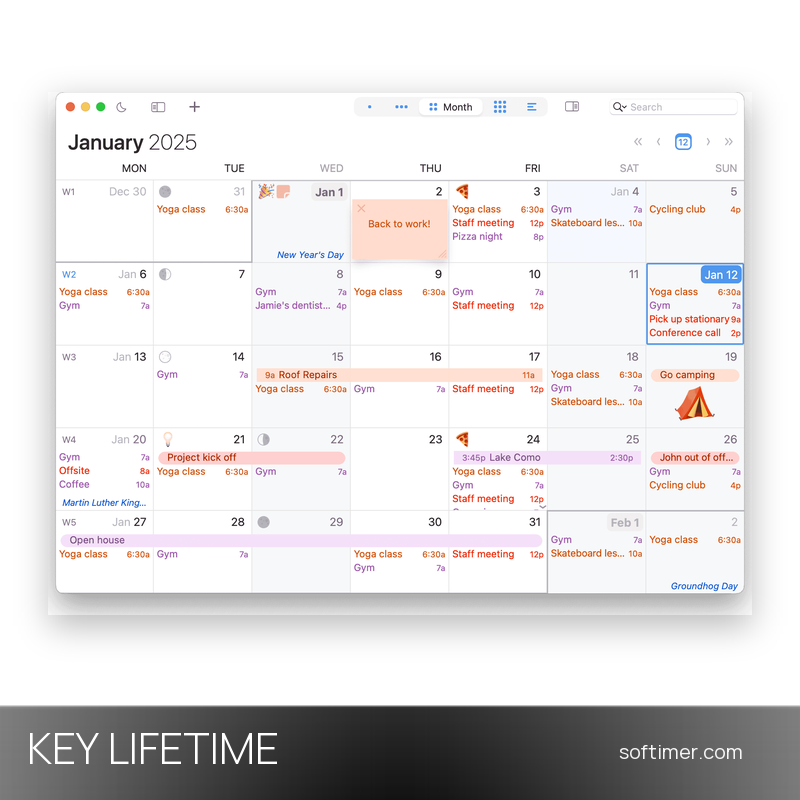
- Customizable views: Day, week, month, year and list views can be tuned in detail: number of weeks shown, font size, week numbers, mini-months, time-blocked columns and a dark mode.
- Info Panel: The side panel shows and edits every property of an event or task; fields can be added, hidden and reordered so the panel only shows what you actually use.
- Natural language input: Type a phrase such as lunch on Friday at 1 pm and BusyCal creates the event with the right date, time, location and alarm.
- Tasks and journal: To dos with due dates, priorities and carry-over live next to the events and sync with Apple Reminders; journal entries record notes on a day without a time.
- Smart Filters and Tags: Filters combine calendars, keywords and tags into saved views that switch with a click; tags colour-code events across all calendars.
- Menu bar app, travel time and weather: A mini calendar and the day's agenda sit in the menu bar; events with a location get a travel-time alert, and forecasts and moon phases appear right in the calendar.
- Sync with the services you already use: Works with iCloud, Google Calendar, Microsoft Exchange, Office 365 and any CalDAV server, plus a private sync over the local network.
Product Details:
- Product: BusyCal
- Version: current release (year-based numbering, e.g. 2026.x); 18 months of updates included from the purchase date, after which the installed version keeps working
- License Type: perpetual license key, no expiry
- Platform: macOS
- Devices: 1 Mac
- Language: Interface in English, German, French, Italian, Spanish, Dutch, Portuguese, Japanese, Korean and Chinese (no Russian interface)
- Delivery: license key and instructions by email after the order has been verified (not instant, usually within a few hours)
- Activation: registration code entered in the app (BusyCal menu, Register…), checked online; no publisher account required
- Publisher: Busy Apps (Beehive Innovations FZE)
- Edition: download version from the publisher's website (not the Mac App Store subscription)
System Requirements:
- Operating System: macOS 12 Monterey or later (the current release requires 12.4 or newer); Apple silicon and Intel Macs
- Accounts: iCloud, Google, Exchange, Office 365 or CalDAV accounts are optional; calendars can also be kept locally
- Internet: Connection needed to check the registration code and to sync online accounts
- Note: BusyCal for iPhone and iPad is a separate app sold on the App Store and is not included
How to Activate:
- Download BusyCal from the publisher's website (not from the Mac App Store) and move it to the Applications folder.
- Open the app: on first launch you can add your calendar accounts or use it in trial mode.
- Open the BusyCal menu in the menu bar, choose Register… and enter the registration code received by email; the check needs an internet connection.
- The full version is unlocked immediately; the same code can be used to register the app on the other Macs covered by your license.
Delivery:
This product is delivered digitally. After your purchase is confirmed, the license key and activation guidance are sent to the email address provided at checkout. Delivery times may vary depending on the product type.
Same products



- New


- New

- New


Feedback
This product has no reviews. Be the first to review this product!
Share your opinion about the product
This will help other buyers make purchasing decisions
Write a review