


Dr.Web Family Security - 6 Devices / 1 Year License KEY - Android


- New
Dr.Web Family Security - 1 Year License
Dr.Web Family Security is the family safety app for Android from Doctor Web, the developer of the Dr.Web antivirus: one person, the family manager, looks after the phones and tablets of children, parents and grandparents from a single account. It suits families who want to know where their loved ones are, keep unwanted calls and websites away from them and set limits on games and social apps; the app filters and monitors, it does not scan for malware. You buy a serial number that is registered in the family manager's account inside the app: the license covers the manager's device plus a set number of family members' devices and stays with the account when you change phone.
This product is a license key for Dr.Web Family Security: it is valid for 1 year from activation on 6 devices and can be used on Android. The key is delivered by email together with the activation instructions.
The family manager creates an account for each relative and hands over a PIN or QR code to sign in on their device; the main screen then shows one tab per person with location, battery level and remote commands. The app can run next to Dr.Web Security Space or Dr.Web Light.
Key Features:
- Location and device status: Requests the current position of a family member's device on a map, shows battery level and connection type and keeps the history of previous requests.
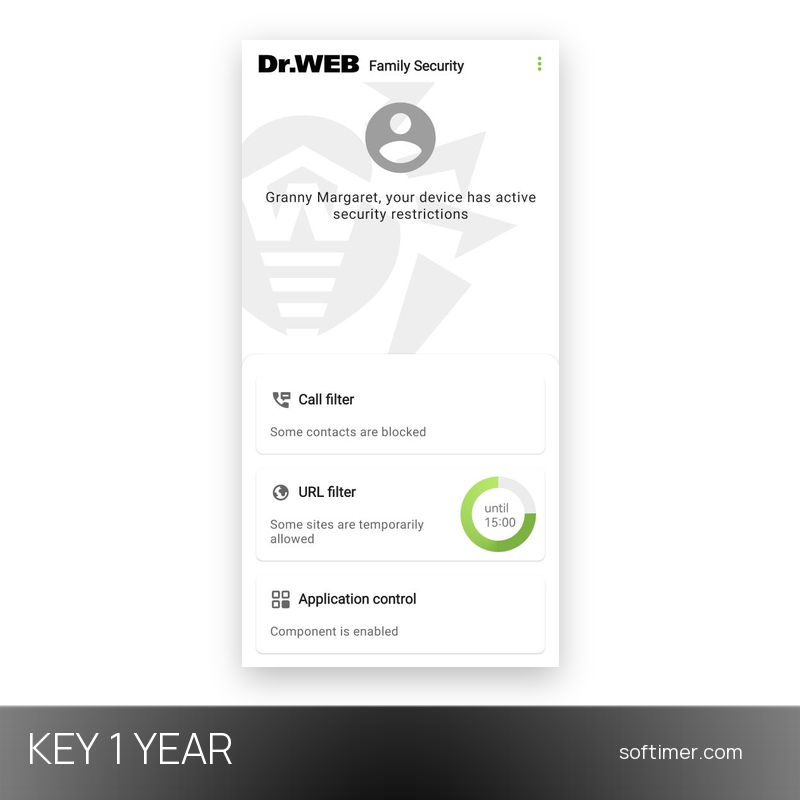
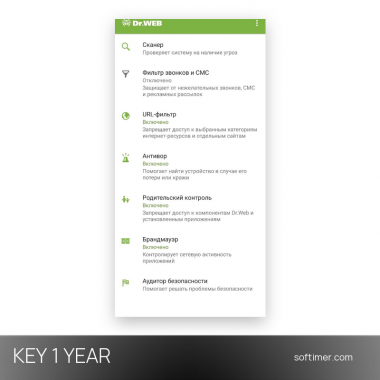
- Call and SMS filter: Blocks calls and messages from unknown, hidden or blacklisted numbers on the family member's device and logs what was stopped; in the store builds Anti-scam can hang up long calls from strangers.
- URL filter: Blocks single sites or whole categories in the Android browser, Chrome, Yandex Browser, Edge, Firefox, Opera and other supported browsers, with an allowed-sites-only mode and hourly schedules.
- Application control: Blocks chosen apps or app groups or limits them with a schedule, so games and social networks open only in agreed time slots; new apps can stay blocked until you approve them.
- Remote commands: Locks a lost or stolen device, plays a loud sound, shows a message on its screen or erases personal data; commands travel by push notification or, in the website build, by SMS.
- Activity monitoring: Shows in real time which apps are installed and which sites are visited on each protected device; a family member can send an unlock request when something blocked is needed.
Product Details:
- Product: Dr.Web Family Security
- Version: current version, with all updates released during the license term
- License Type: license key valid for 1 year
- Platform: Android
- Devices: 6 devices
- Language: English and Russian interface
- Delivery: license key and instructions by email after payment confirmation (usually within a few hours)
- Activation: the key is linked to your account with the software vendor (sign in or create one)
- Region: not specified – if you need activation in a specific country, contact us before ordering
- Publisher: Doctor Web
System Requirements:
- Operating System: Android 7.0 or later on x86, x86-64, ARMv7, ARMv8 or ARMv9 devices
- Memory: At least 1 GB of free RAM, 100 MB of free storage and a screen of 800×480 or higher
- Internet: Permanent internet connection and Google Mobile Services; a separate device for each family member is recommended
How to Activate:
- Install Dr.Web Family Security on the family manager's phone from the Doctor Web website: the serial number is entered in this build, while the store versions sell their own in-app licenses.
- Open the app, choose I protect my family, register a family manager account with your email address and a password and confirm it through the link sent to your mailbox.
- On the License screen choose I already have a license, then Enter serial number, type the serial number received by email and tap Activate; the license is bound to the account, not to the phone.
- Grant the requested permissions, add each family member in My family and install the app on their devices, where they sign in with the QR code or with the PIN and the manager's email.
Delivery:
This product is delivered digitally. After your purchase is confirmed, the license key and activation guidance are sent to the email address provided at checkout. Delivery times may vary depending on the product type.
Same products



- New


- New


- New

- New


- New


Feedback
This product has no reviews. Be the first to review this product!
Share your opinion about the product
This will help other buyers make purchasing decisions
Write a review