


EndNote 20 - Lifetime License KEY - Windows


- New
EndNote 20 - Perpetual License
EndNote is Clarivate's reference manager: it keeps references and PDFs in a personal library and turns them into formatted citations and bibliographies as you write. It is aimed at students, PhD candidates, researchers, physicians and anyone who writes papers, theses or reports with many sources and needs to keep them in order across projects. The purchase is a license for the desktop application: you activate it with the product key, optionally link it to an EndNote online account for cloud sync and use the Cite While You Write plugin in your word processor.
This product is a perpetual license key for EndNote 20: it does not expire and can be used on Windows; the number of PCs is not stated by the supplier. The key is delivered by email together with the activation instructions.
A typical workflow starts with a search in PubMed or Web of Science from inside EndNote, or with an export from Google Scholar; the references land in the library with their PDFs, are grouped by project and inserted into the manuscript with a click, and the bibliography is rebuilt in the chosen journal style every time a citation is added or moved.
Key Features:
- Cite While You Write: The plugin for Microsoft Word inserts in-text citations and builds the bibliography as you type; support for other word processors depends on the EndNote version and platform.
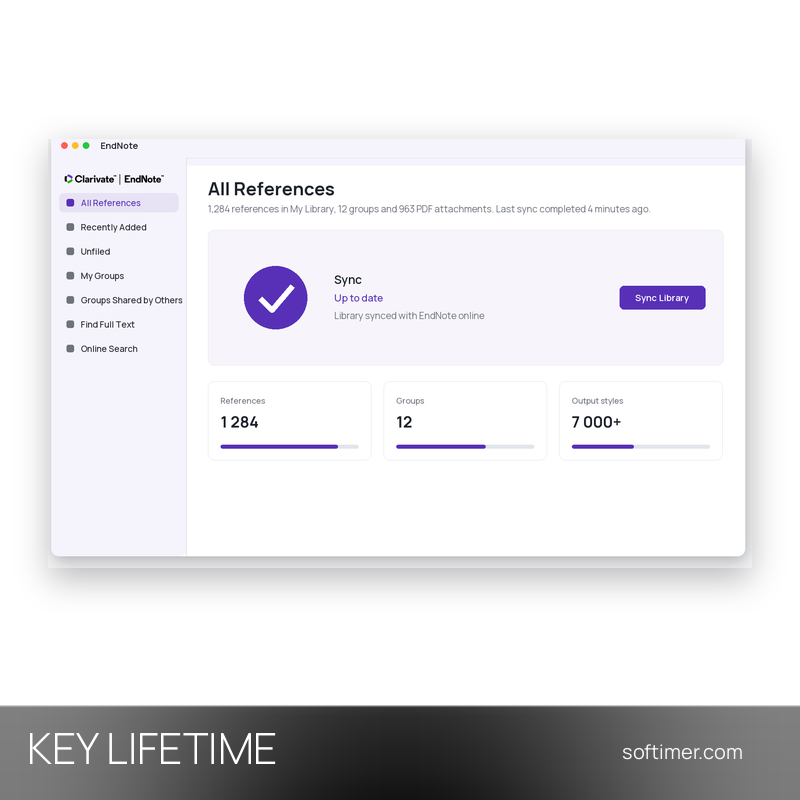
- Thousands of output styles: More than 7,000 bibliographic styles are included (APA, MLA, Chicago, Vancouver, Harvard and journal-specific formats) and the style editor lets you adapt any of them.
- Import and online search: Search PubMed, Web of Science and hundreds of library catalogues from inside the app, or import records exported from Google Scholar, Scopus and publisher websites in RIS, BibTeX and other formats.
- PDF management: Find Full Text retrieves the article PDF for references you already have; imported PDFs are attached to their reference, searchable and can be highlighted and annotated in the built-in reader.
- Groups and smart groups: Organise the library by project with groups and with smart groups that fill themselves according to your rules; duplicate detection keeps the library clean.
- Sync and library sharing: An EndNote online account syncs the whole library, PDFs and groups included, between your computers and the web version, and lets you share the library or single groups with colleagues.
Product Details:
- Product: EndNote
- Version: 20
- License Type: perpetual license key, no expiry
- Platform: Windows
- Devices: number of PCs not stated by the supplier
- Language: English interface; references and bibliographic styles in any language (Unicode)
- Delivery: license key and instructions by email after payment confirmation (usually within a few hours)
- Activation: online, license key entered in the application
- Region: not specified – if you need activation in a specific country, contact us before ordering
- Notes: The key works only with EndNote version 20 on Windows 10/11: it does not activate EndNote 21, EndNote 2025 or the Mac version
- Publisher: Clarivate
System Requirements:
- Hardware: 1 GHz processor and at least 2 GB of available RAM
- Word processor: Microsoft Word 2016 or later (desktop version of Microsoft 365 included) for Cite While You Write; other word processors only where the EndNote version and platform support them
- Internet: Connection required for activation, online search, Find Full Text and sync
- Operating System: Windows 10 or 11; about 600 MB of free disk space
How to Activate:
- Download the installer of the EndNote version named in the product title from the Clarivate EndNote website (older versions such as EndNote 20 have their own download page) and run it.
- When the installer or the first launch asks for it, enter the product key received by email (choose the activation of a purchased license, not the trial).
- Open Word and check that the EndNote tab appears; if you want to sync or share the library, sign in to an EndNote online account from the app preferences.
Delivery:
This product is delivered digitally. After your purchase is confirmed, the license key and activation guidance are sent to the email address provided at checkout. Delivery times may vary depending on the product type.
Same products

- New


- New


- New


- New


- New

- New



- New


- New


- New


- New

- New


- New
Feedback
This product has no reviews. Be the first to review this product!
Share your opinion about the product
This will help other buyers make purchasing decisions
Write a review