


MobiKin Backup Manager for Android 1.3.3 - 1 Year License KEY - Windows


- New
MobiKin Backup Manager for Android 1.3.3 - 1 Year License
MobiKin Backup Manager for Android is a Windows program by MobiKin that copies the data of an Android phone or tablet to the computer and puts it back on the device when needed. It is meant for anyone who wants a local copy of contacts, messages, photos and other files before changing phone, resetting a device or simply as a precaution against loss. What you buy is a registration key that turns the trial into the full version of the program on your PC.
This product is a license key for MobiKin Backup Manager for Android 1.3.3: it can be used on 1 PC running Windows, with a validity of 1 year as declared by the supplier (start of the period not stated). The key is delivered by email together with the activation instructions.
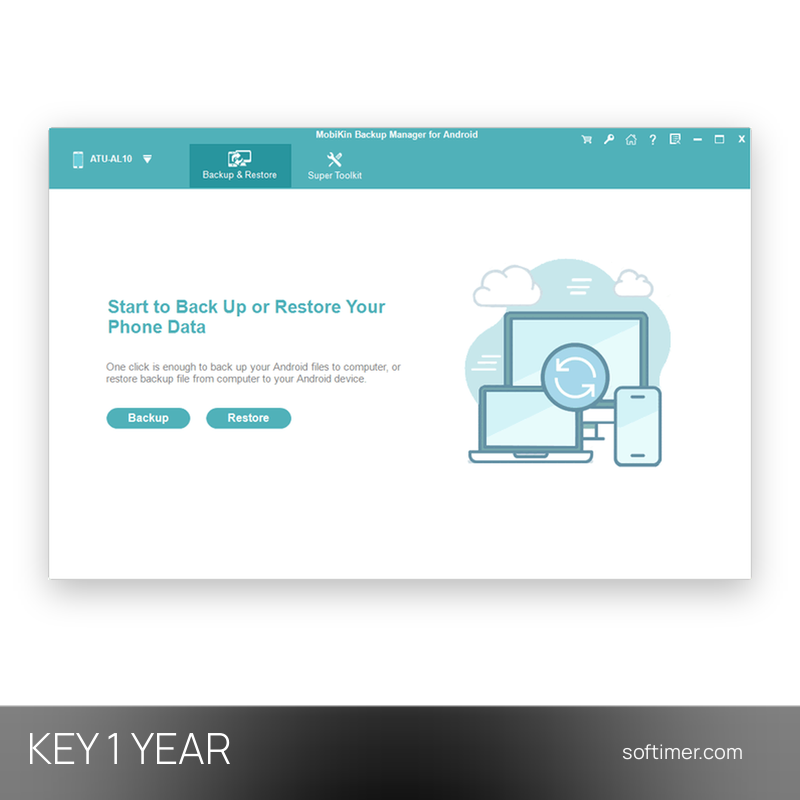
Connect the Android device to the computer with a USB cable and allow USB debugging when the phone asks. The program then shows two main actions, Backup and Restore: pick the data types to save and a folder on the PC, or choose an earlier backup and the items to write back to the device.
Key Features:
- Backup by data type: Contacts, messages, call logs, photos, videos, music, documents and apps can be saved to the computer together or by category.
- One-click backup: A single action copies all selected categories to a folder on the PC, so a full copy of the phone does not require moving files by hand.
- Selective restore: From an existing backup you can choose which categories to write back to the same phone or to another Android device.
- File details before saving: Name, size, date and number of items are shown for each category, which helps decide what to back up or restore.
Product Details:
- Product: MobiKin Backup Manager for Android
- Version: 1.3.3
- License Type: license key, validity of 1 year as declared by the supplier (start of the period not stated)
- Platform: Windows (for Android phones and tablets)
- Devices: 1 PC
- Language: English
- Delivery: license key and instructions by email after payment confirmation (usually within a few hours)
- Activation: online, license key entered in the application
- Region: not specified – if you need activation in a specific country, contact us before ordering
- Publisher: MobiKin
System Requirements:
- Operating System: Windows 11, 10, 8 or 7
- Device: Android phone or tablet with a USB cable and USB debugging enabled
How to Activate:
- Install MobiKin Backup Manager for Android on the Windows PC; if the product details name a specific version, install that version.
- Open the program and click the key icon (Register) in the title bar of the window.
- Enter the licensed e-mail address and the registration code exactly as received and confirm.
- The trial limits disappear and the program shows as registered.
Delivery:
This product is delivered digitally. After your purchase is confirmed, the license key and activation guidance are sent to the email address provided at checkout. Delivery times may vary depending on the product type.
Same products




- New
- New



- New




- New


- New
- New

- New



- New
Feedback
This product has no reviews. Be the first to review this product!
Share your opinion about the product
This will help other buyers make purchasing decisions
Write a review