


Ollama Cloud Pro - 1 Month ACTIVATION on your account - Windows / Mac / Linux / Web
- New
Ollama Cloud Pro - 1 Month Upgrade
Ollama Cloud is the hosted service of Ollama Inc., the company behind the Ollama application used to run open large language models such as gpt-oss, Qwen, DeepSeek and Gemma. Instead of loading a model onto your own graphics card, the request is processed on Ollama's datacentre GPUs, so models far larger than a normal computer can handle answer from the same app, the same command line and the same API. It is meant for developers, researchers and demanding users who work with open models every day and need more capacity than a laptop can offer. What this listing provides is a paid Ollama Cloud plan active on an Ollama account: access goes through that account, there is no key to enter.
This product activates Ollama Cloud Pro for 1 month on your own account (a free account with the service is enough, unless the details say otherwise): after payment we apply the subscription to the account you indicate, usable for a number of users not stated by the supplier (Windows, macOS, Linux and web browser).
Typical uses: running a large reasoning model on a project that would not fit in local memory, letting coding assistants and agents work through long tasks without occupying the machine, comparing several open models on the same prompt, and keeping local and cloud models side by side in one interface. The paid plans matter above all for the amount of monthly usage and for how many requests can run at the same time.
Key Features:
- Large open models on demand: Families such as gpt-oss, Qwen, DeepSeek, Kimi and Gemma run in their bigger versions on Ollama's servers, with no local download and no dedicated graphics card.
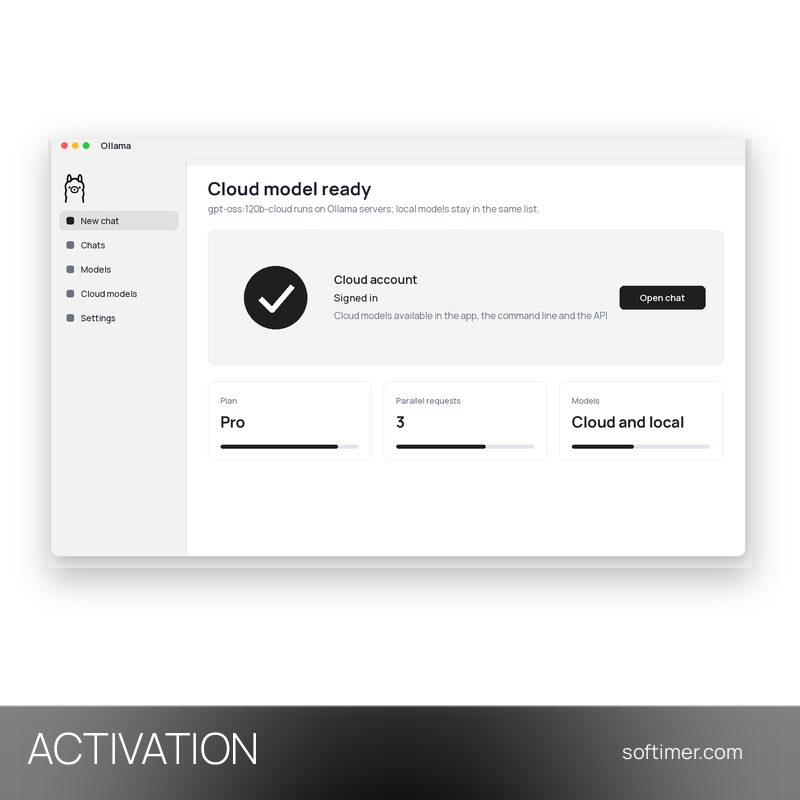
- Same app, local and cloud: The desktop application and the ollama command line list cloud models next to local ones: adding the cloud suffix to a model name is enough to switch where it runs.
- API for your own tools: The Ollama API and its OpenAI-compatible endpoint answer cloud models too, so existing scripts, editors and agent frameworks keep working unchanged.
- Usage credits and parallel requests: Paid plans raise the monthly usage included and the number of requests that can be processed at the same time, which is what makes several agents usable in parallel.
- Requests not kept: Ollama states that prompts and answers processed in the cloud are not retained on its servers, a point that matters when working on private code or documents.
Product Details:
- Product: Ollama Cloud
- Version: current versions of the apps for all supported platforms
- License Type: upgrade applied to your own account, 1 month
- Duration: 1 month
- Platform: Windows, macOS, Linux and web browser
- Devices: number of users not stated by the supplier
- Language: English interface; the models answer in the language of your request
- Delivery: after the order we agree the delivery details by e-mail; we never ask for your password
- Region: not specified – if you need activation in a specific country, contact us before ordering
- Notes: You need an existing Ollama account: after the order you open the payment page of the chosen plan in your account and send us that payment link (never a password). Once the link has been paid and the plan is active, no refund is possible
- Publisher: Ollama Inc.
System Requirements:
- Operating System: Windows 10 or 11 (64-bit), macOS 12 or later, Linux (64-bit); the web interface works in any modern browser
- Internet: Permanent internet connection: cloud models are processed on Ollama's servers
How to Activate:
- Download the Ollama application from ollama.com and install it, or use the ollama command line you already have.
- Sign in to the Ollama account the subscription is active on, in the app or with the sign-in command.
- Pick a cloud model in the model list, or add the cloud suffix to the model name in the command line and in your API calls.
Delivery:
This product is delivered digitally as an activation: no license key is sent. After your purchase is confirmed, we contact you at the email address provided at checkout, agree with you what the activation requires and confirm by email once it has been carried out. We never ask for your password.
Same products


- New

- New


- New


- New

- New

- New


- New

- New



- New


- New

- New


- New


- New
Feedback
This product has no reviews. Be the first to review this product!
Share your opinion about the product
This will help other buyers make purchasing decisions
Write a review