


Kilo Code Pass Pro - 1 Month - ACCOUNT


- New
Kilo Code Pass Pro - 1 Month Account
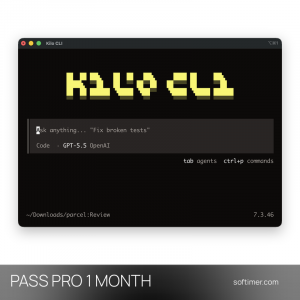
Kilo Code is an open source AI coding agent developed by Kilo AI, a company that joined Anaconda in 2026: it runs inside VS Code and JetBrains IDEs or from the command line and can plan, write, test and fix code across a whole project. It is aimed at developers, students and small teams who want to choose freely among hundreds of AI models and pay only for what they actually use, instead of being tied to a single vendor. Credits and plans always live on a Kilo account: depending on the product they are added to the account you already use or come with an account prepared for your order, as stated in the product details below.
This product is account access to Kilo Code Pass Pro for 1 month: you receive the login details by email and use the service for 1 user (Windows, macOS and Linux).
Typical uses: building a feature in several files with the Code mode, drafting a plan with the Architect mode before touching anything, tracking down an error with the Debug mode, or splitting a large task into subtasks with the Orchestrator. Credits are spent per request according to the model chosen; Kilo Pass comes in three sizes, Starter, Pro and Expert, from the smallest to the largest monthly bundle, and each turns its monthly fee into credits of the same value plus a bonus, and KiloClaw provides a hosted personal agent that keeps running when your computer is off.
Key Features:
- Agent modes: Code, Architect, Ask, Debug and Orchestrator modes give the agent a clear role for each task; custom modes and project rules can be defined in a few lines.
- Hundreds of models through Kilo Gateway: Models from Anthropic, OpenAI, Google, xAI, DeepSeek, Qwen and other providers are available from one account, with an Auto option that picks a suitable model for the request.
- Works where you code: The same agent is available as a VS Code extension, as a plugin for JetBrains IDEs and as a CLI tool for the terminal, with a web dashboard for usage and billing.
- MCP servers and tools: External tools and data sources can be connected through the Model Context Protocol, and the agent can run terminal commands and drive a browser to test what it wrote.
- Credits, Kilo Pass and KiloClaw: Usage is paid with a prepaid credit balance; a Kilo Pass turns a monthly fee into a larger bundle of credits, and KiloClaw is a managed OpenClaw agent hosted by Kilo, with inference billed from the same balance.
Product Details:
- Product: Kilo Code
- Version: current versions of the apps for all supported platforms
- License Type: account access for 1 month
- Duration: 1 month
- Platform: Windows, macOS and Linux
- Devices: 1 user
- Language: English interface; the models understand and answer in English, German, French, Italian, Russian and other languages
- Delivery: login details (e-mail and password) and instructions by email after payment confirmation
- Activation: sign in with the login details received in the application
- Region: not specified – if you need activation in a specific country, contact us before ordering
- Account mailbox: the mailbox of the account is not provided: verification codes and password recovery messages sent to that address cannot be received, so the account details must be left as delivered
- Notes: multilingual interface
- Publisher: Kilo AI (Anaconda)
- Edition: Pro – the middle Kilo Pass: a higher monthly credit balance than Starter, for regular and longer AI sessions
System Requirements:
- Kilo account: A kilo.ai account: your own (free registration) when the credits or the plan are activated on your account, or the account delivered with the order
- Software: Visual Studio Code or a JetBrains IDE with the Kilo Code extension, or the Kilo CLI, on Windows, macOS or Linux; KiloClaw is used from the web dashboard and messaging apps
- Internet: Permanent internet connection: the models run on the providers' servers
How to Activate:
- Sign in at kilo.ai with the e-mail address and password received after purchase and check the active plan under Billing.
- Install the Kilo Code extension in VS Code or your JetBrains IDE, or the CLI, and connect it to that account.
- Do not change the e-mail address or password and do not add payment methods unless we tell you to.
Delivery:
This product is delivered digitally. After your purchase is confirmed, the login details and usage instructions are sent to the email address provided at checkout. Delivery times may vary depending on the product type.
Same products



- New

- New


- New


- New

- New




- New


Feedback
This product has no reviews. Be the first to review this product!
Share your opinion about the product
This will help other buyers make purchasing decisions
Write a review