


WeVideo Business - 28 Days - ACCOUNT
- New
WeVideo Business - 28 Days Account
WeVideo is a cloud-based video editor developed by WeVideo Inc. that runs in the web browser and in companion apps for Android and iOS. It suits creators, small businesses, teachers and anyone who wants to cut, title and publish videos without installing heavy desktop software, starting a project on one device and finishing it on another. This listing is a WeVideo account for your use only (not shared with other customers) with a paid plan already active: you sign in with the credentials delivered with your order.
This product is account access to WeVideo Business for 28 days: you receive the login details by email and use the service for 1 user (Android, iOS, macOS, web browser and Windows).
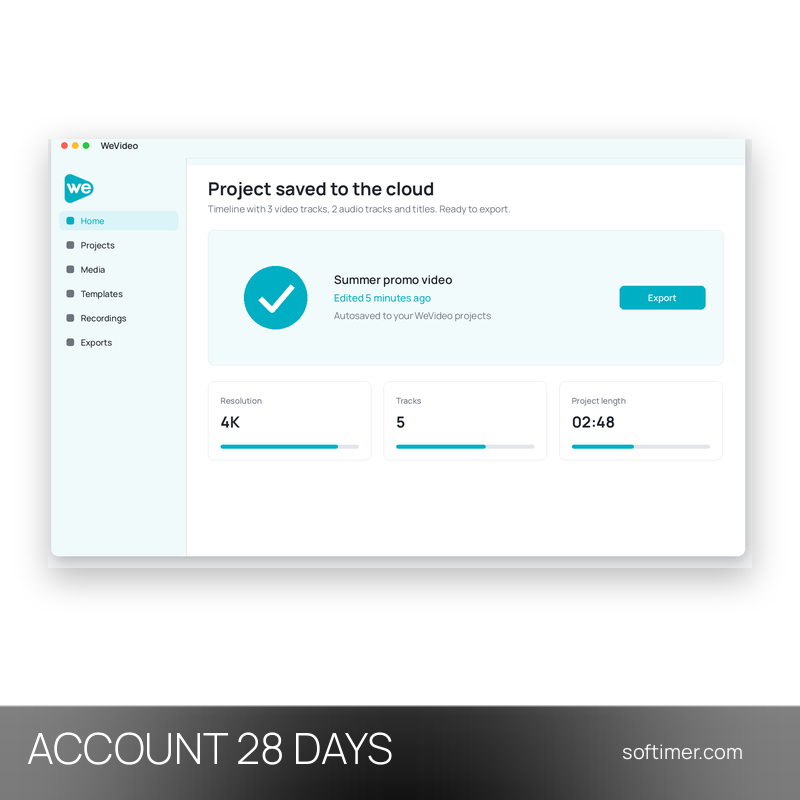
A typical project starts with clips uploaded from a phone or computer, continues on the timeline with trims, titles, music and a voiceover, and ends with an export to a file or a direct upload to a video platform or social network.
Key Features:
- Editing in the browser: Timeline editing with trimming, cropping, transitions and slow motion runs on WeVideo servers, so a Chromebook or an older laptop is enough.
- Stock media library: Paid plans open a large catalogue of royalty-free video clips, images and music tracks that can be dropped straight into a project.
- Green screen and motion titles: Replace a coloured background, add animated titles and start from ready-made templates for intros, promos and social posts.
- Screen and webcam recording: Record the screen, the webcam or both at once and add a voiceover, which is handy for tutorials, lessons and product demos.
- Export without watermark: Finished videos are exported in high resolution without the WeVideo watermark, as a video file, audio only or GIF, or uploaded directly to social channels.
Product Details:
- Product: WeVideo
- Version: current versions of the apps for all supported platforms
- License Type: account access for 28 days
- Duration: 28 days
- Platform: Web browser (Windows, macOS, ChromeOS) and apps for Android and iOS
- Devices: 1 user
- Language: Interface in English and other languages
- Delivery: login details (e-mail and password) and instructions by email after payment confirmation
- Activation: sign in with the login details received in the application
- Region: not specified – if you need activation in a specific country, contact us before ordering
- Account holder: the account is created and kept by the supplier: it is not registered in your name and the supplier keeps control of it, so it has to be used exactly as delivered
- Publisher: WeVideo Inc.
System Requirements:
- Browser: A current version of Chrome, Edge, Safari or Firefox on a computer or Chromebook
- Mobile: The WeVideo app from Google Play or the App Store on a smartphone or tablet
- Internet: A stable connection: projects and media are stored and processed in the cloud
How to Activate:
- Open the WeVideo website or app and sign in with the e-mail address and password delivered with your order.
- Do not change the account e-mail or password and do not add payment details unless our instructions say otherwise.
- Check the active plan in the account settings, then create a new project and start editing.
Delivery:
This product is delivered digitally. After your purchase is confirmed, the login details and usage instructions are sent to the email address provided at checkout. Delivery times may vary depending on the product type.
Same products
- New
- New

- New
- New

- New

- New

- New
- New
Feedback
This product has no reviews. Be the first to review this product!
Share your opinion about the product
This will help other buyers make purchasing decisions
Write a review