


XenArmor Windows Defender Manager Pro Basic Edition - 1 Year License KEY - Windows

- New
XenArmor Windows Defender Manager Pro Basic Edition - 1 Year License
XenArmor Windows Defender Manager Pro is a Windows utility from XenArmor, a developer of security and password recovery tools, that gives direct control over Microsoft Defender, the antivirus built into Windows 10 and 11. It is meant for users and technicians who sometimes need to pause Defender, for example while installing trusted software or running a heavy task, and who want to manage its exclusions from one window instead of the Windows Security settings. What you buy is a license key for the program, delivered together with the e-mail address it is registered to; both are entered in the program to unlock it.
This product is a license key for XenArmor Windows Defender Manager Pro Basic Edition: it can be used on Windows, with a validity of 1 year as declared by the supplier (start of the period not stated); the number of PCs is not stated by the supplier. The key is delivered by email together with the activation instructions.
Typical uses: pausing real-time scanning while a large backup or a software build runs and switching it back on afterwards, adding a work folder to the exclusions from the right-click menu, and checking from time to time whether unknown exclusions have appeared. Switching Defender off lowers the protection of the computer, so turn it back on when the task is finished.
Key Features:
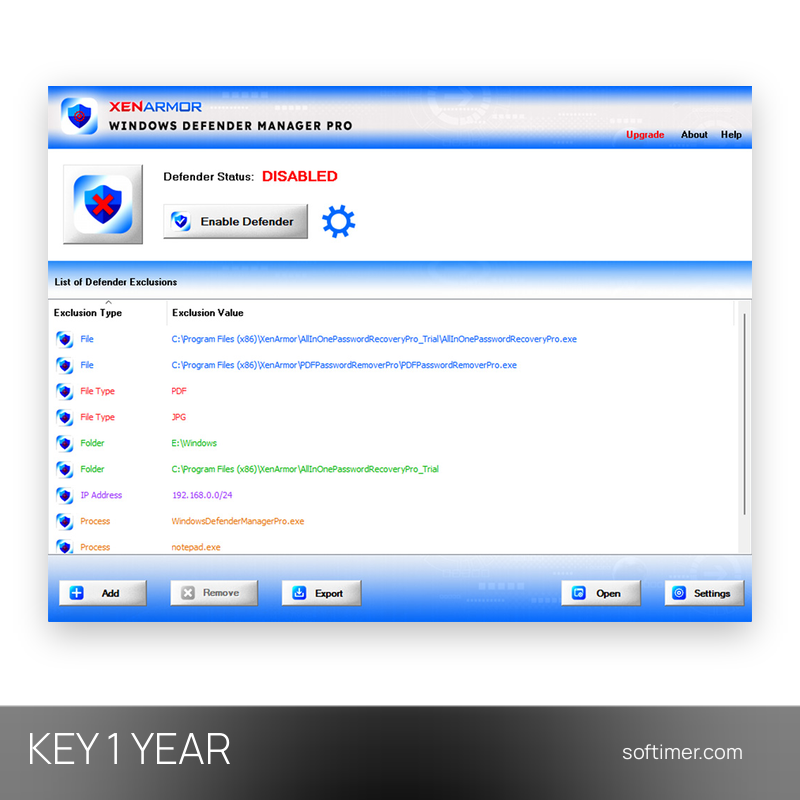
- One-click on and off: Microsoft Defender is enabled or disabled from the main window, without going through the Windows Security pages and without restarting the computer.
- Individual protections: Real-time monitoring, cloud-delivered protection, behaviour monitoring and the scanning of scripts, e-mails and archives can be switched separately.
- Status enforcement: The program watches the Defender state you have chosen and restores it if a background process or malicious software tries to change it.
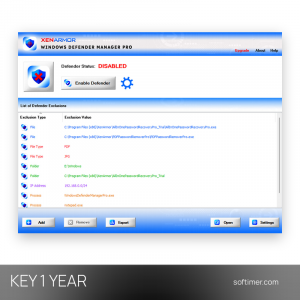
- Exclusion manager: All exclusions (files, folders, processes, file types and IP addresses) appear in one colour-coded list; new ones can be added from the File Explorer right-click menu.
- Cleanup of unwanted exclusions: Exclusions added without your knowledge, for example by malware that wants to hide from the scanner, are pointed out and can be removed.
Product Details:
- Product: XenArmor Windows Defender Manager Pro
- Version: current version, with all updates released during the license term
- License Type: license key, validity of 1 year as declared by the supplier (start of the period not stated)
- Platform: Windows
- Devices: number of PCs not stated by the supplier
- Language: English
- Delivery: license key and instructions by email after payment confirmation (usually within a few hours)
- Activation: e-mail address and license key entered in the program (Activate License menu), checked online
- License registration: the license is registered and authorized by the supplier: the activation data cannot be changed or transferred to another name or e-mail
- Publisher: XenArmor
System Requirements:
- Operating System: Windows 10 or Windows 11
- Internet connection: required to activate the license
How to Activate:
- Download Windows Defender Manager Pro from the XenArmor website and install it.
- Open the program and choose Activate License from the menu.
- Enter the e-mail address and the license key exactly as delivered and confirm; the computer must be online for the check.
Delivery:
This product is delivered digitally. After your purchase is confirmed, the license key and activation guidance are sent to the email address provided at checkout. Delivery times may vary depending on the product type.
Same products




- New



- New



- New




- New

- New



- New
Feedback
This product has no reviews. Be the first to review this product!
Share your opinion about the product
This will help other buyers make purchasing decisions
Write a review