


Wondershare MobileTrans WhatsApp Transfer for Mac - 2 Devices / 1 Year - ACCOUNT

- New
Wondershare MobileTrans WhatsApp Transfer for Mac - 1 Year Account
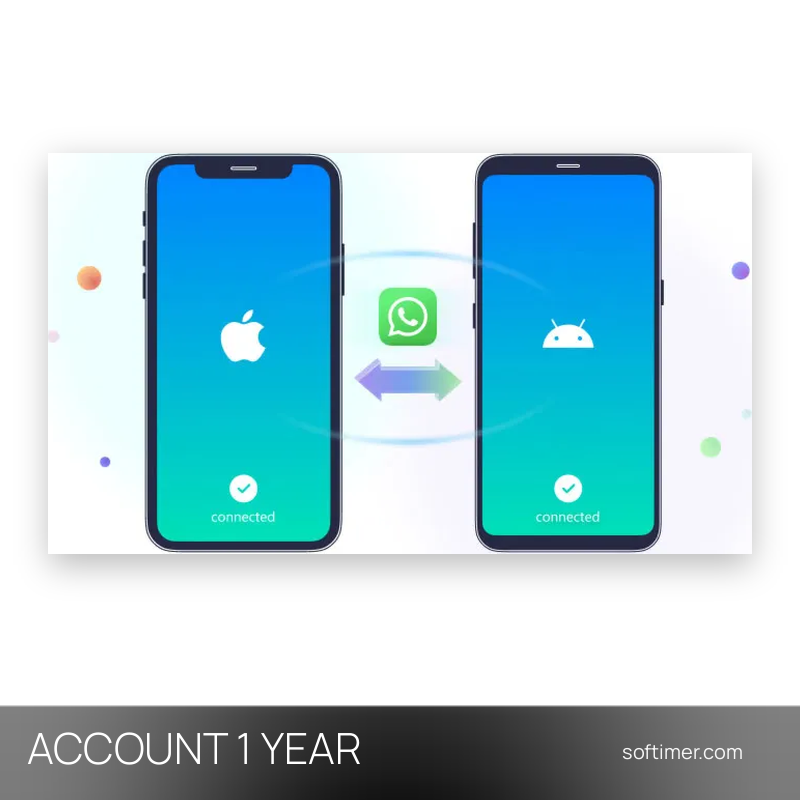
MobileTrans WhatsApp Transfer is the WhatsApp module of the MobileTrans desktop program by Wondershare: it moves chats, attachments and media between two phones over a USB cable, including from iPhone to Android and back. It is meant for people who change phone or switch between iOS and Android and do not want to lose their conversation history, and for anyone who wants a copy of their WhatsApp data stored on the computer rather than in a cloud service. What is sold here is access to the paid version of the WhatsApp Transfer module; the program is downloaded from the publisher and unlocked from the account panel inside the application.
This product is account access to Wondershare MobileTrans WhatsApp Transfer for Mac for 1 year: you receive the login details by email and use the service on 2 devices (macOS).
Both phones are connected to the computer, the old one is set as the source and the new one as the destination, and the program copies the WhatsApp content in a single guided operation. The same tool can save a backup of the chats on the computer before a phone is reset or sold, restore it later to any supported phone, or export selected conversations as readable files for your own records.
Key Features:
- WhatsApp transfer between iPhone and Android: Copies chats, photos, videos, voice messages, stickers and attachments from one phone to the other in both directions, and between two phones of the same system.
- Backup to the computer: Saves the WhatsApp data of a phone on the PC or Mac, so the history is kept even if the phone is lost, reset or replaced.
- Restore from a backup: Loads a saved backup on the same phone or on a new one and can help recover conversations deleted by mistake, without needing the old device.
- Export of chats: Selected conversations can be exported to the computer as readable documents to keep or print, with the attached media alongside.
- Other messengers: The same backup and restore logic is available for LINE, WeChat, Kik and Viber, and WhatsApp Business is handled like the standard app.
- Wide device support: Works with several thousand phone models from the main manufacturers, with a guided interface that needs no technical knowledge.
Product Details:
- Product: Wondershare MobileTrans - WhatsApp Transfer
- Version: current versions of the apps for all supported platforms
- License Type: account access for 1 year
- Duration: 1 year
- Platform: macOS
- Devices: 2 devices
- Language: Multilingual (English, German, French, Italian, Russian and other languages)
- Delivery: login details (e-mail and password) and instructions by email after payment confirmation
- Activation: sign in with the login details received in the application
- Account holder: the account is created and kept by the supplier: it is not registered in your name and the supplier keeps control of it, so it has to be used exactly as delivered
- Account mailbox: the mailbox of the account is not provided: verification codes and password recovery messages sent to that address cannot be received, so the account details must be left as delivered
- Expiry: the supplier does not declare an expiry date: the period shown is the one we apply, and beyond the supplier's replacement warranty its length cannot be guaranteed
- Publisher: Wondershare Technology Group Co., Ltd.
System Requirements:
- Computer: A PC or Mac with a free USB port and the MobileTrans program downloaded from Wondershare
- Phones: The source phone and the destination phone (iOS or Android) with their USB cables, WhatsApp installed on both and access to the phone number linked to the account
How to Activate:
- Open MobileTrans and sign in with the e-mail address and password received.
- Check that the subscription is shown as active in the account panel of the program.
- Do not change the e-mail address or password of that account and do not add payment details.
Delivery:
This product is delivered digitally. After your purchase is confirmed, the login details and usage instructions are sent to the email address provided at checkout. Delivery times may vary depending on the product type.
Same products


- New
- New


- New


- New



Feedback
This product has no reviews. Be the first to review this product!
Share your opinion about the product
This will help other buyers make purchasing decisions
Write a review