


SoftOrbits Privacy Protector for Windows 11/10 v13 - License KEY - Windows
- New
SoftOrbits Privacy Protector for Windows 11/10 v13 - License Key
SoftOrbits Privacy Protector is a Windows utility from SoftOrbits that limits the data Windows 10 and 11 collect about you and send to Microsoft. It is aimed at users who want to switch off telemetry and tracking components from one window, without editing the registry or services by hand, and choose themselves which settings to change. This listing is a license key that registers the program; the software itself is downloaded from the SoftOrbits website.
This product is a license key for SoftOrbits Privacy Protector for Windows 11/10 v13 for use on Windows; the number of PCs is not stated by the supplier. The supplier does not state the duration of the license, so no specific validity period is guaranteed. The key is delivered by email together with the activation instructions.
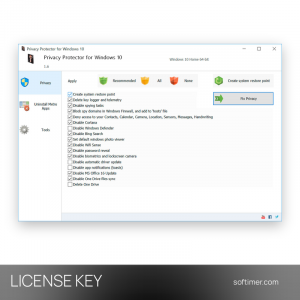
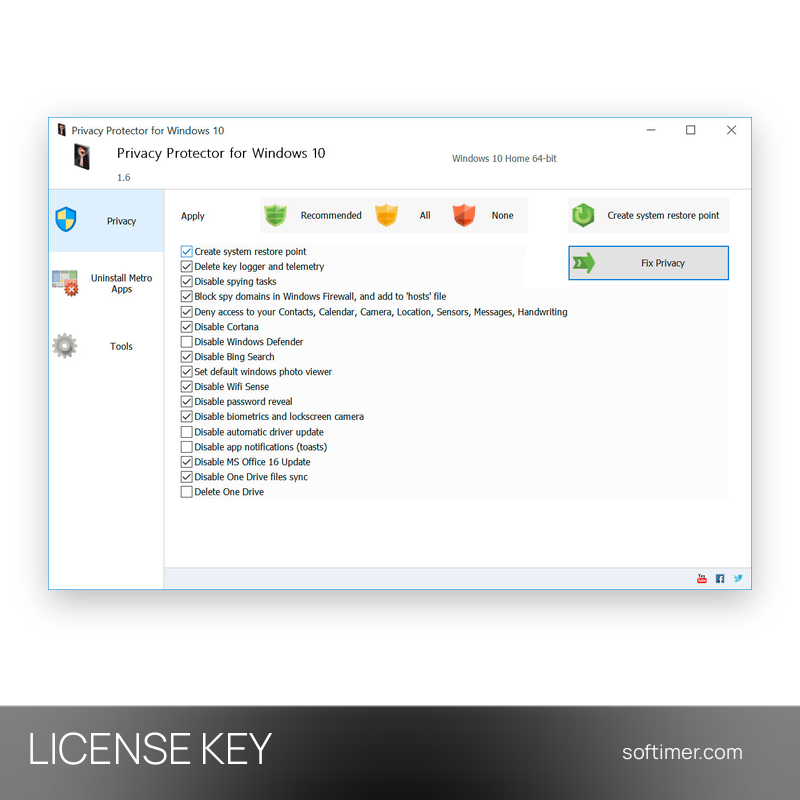
After installation you review the list of privacy fixes, keep the recommended set or tick the items one by one, and apply them with a single button. The program creates a system restore point first. Most changes can be reverted, but some cannot, so options such as turning off Windows Update or Windows Defender should be chosen with care.
Key Features:
- Telemetry and DiagTrack: Disables Windows telemetry, clears the DiagTrack log and stops the related background services and scheduled tasks.
- Blocking tracking servers: Adds Microsoft tracking addresses to the hosts file and creates Windows Firewall rules so that the data does not leave the PC.
- Cortana, Bing and OneDrive: Lets you turn off Cortana and Bing search in the Start menu and stop or remove OneDrive synchronisation.
- Built-in apps: Uninstalls preinstalled Store apps that cannot normally be removed, freeing memory and cutting their background activity.
- Restore point and undo: A restore point is created before any change, and most of the applied fixes can be rolled back from the program.
Product Details:
- Product: SoftOrbits Privacy Protector for Windows 11/10
- Version: 13
- License Type: license key; duration not stated by the supplier
- Platform: Windows
- Devices: number of PCs not stated by the supplier
- Language: English
- Delivery: license key and instructions by email after payment confirmation (usually within a few hours)
- Activation: online, license key entered in the application
- Region: not specified – if you need activation in a specific country, contact us before ordering
- Publisher: SoftOrbits
System Requirements:
- Operating System: Windows 10 or Windows 11
- Permissions: Administrator account to apply system changes
How to Activate:
- Download Privacy Protector for Windows from the SoftOrbits website and install it on your computer.
- Start the program and open its registration window.
- Enter the license key received after the purchase and confirm to register the program.
Delivery:
This product is delivered digitally. After your purchase is confirmed, the license key and activation guidance are sent to the email address provided at checkout. Delivery times may vary depending on the product type.
Same products


- New


- New


- New

- New


- New




- New


- New


- New


- New

- New

Feedback
This product has no reviews. Be the first to review this product!
Share your opinion about the product
This will help other buyers make purchasing decisions
Write a review