


Tuxera NTFS for Mac - Lifetime License KEY - Mac
- New
Tuxera NTFS for Mac - Perpetual License
Tuxera NTFS for Mac, sold by its developer as Microsoft NTFS for Mac by Tuxera, is a file system driver from the Finnish company Tuxera Inc. that gives macOS full read and write access to NTFS drives, the disk format used by Windows. It is meant for anyone who moves data between a PC and a Mac: macOS alone can only read NTFS volumes, so external disks, USB sticks and memory cards formatted on Windows cannot be written to without such a driver. This listing is a product key for the software: once entered, the driver runs in the background and every NTFS volume connected to the Mac mounts in the Finder like an ordinary disk.
This product is a perpetual license key for Tuxera NTFS for Mac: it does not expire and can be used on 1 Mac running macOS. The key is delivered by email together with the activation instructions.
A typical case is an external drive shared between a Windows PC and a MacBook, or a Boot Camp partition whose files you want to edit from macOS. The driver can be switched off globally or for a single volume; Apple's read-only driver takes over while it is disabled.
Key Features:
- Full read and write access: NTFS volumes mount with write permission: copy, edit, rename and delete files on Windows-formatted disks and save your work directly onto them.
- Smart caching layer: An internal cache speeds up transfers to hard disks and SSDs while protecting file system integrity; it can be disabled for volumes with sensitive data.
- Tuxera Disk Manager: The bundled utility formats, checks and repairs NTFS volumes and creates NTFS disk images; on macOS 10.12 and later Apple's Disk Utility can also format NTFS.
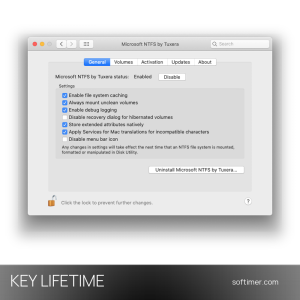
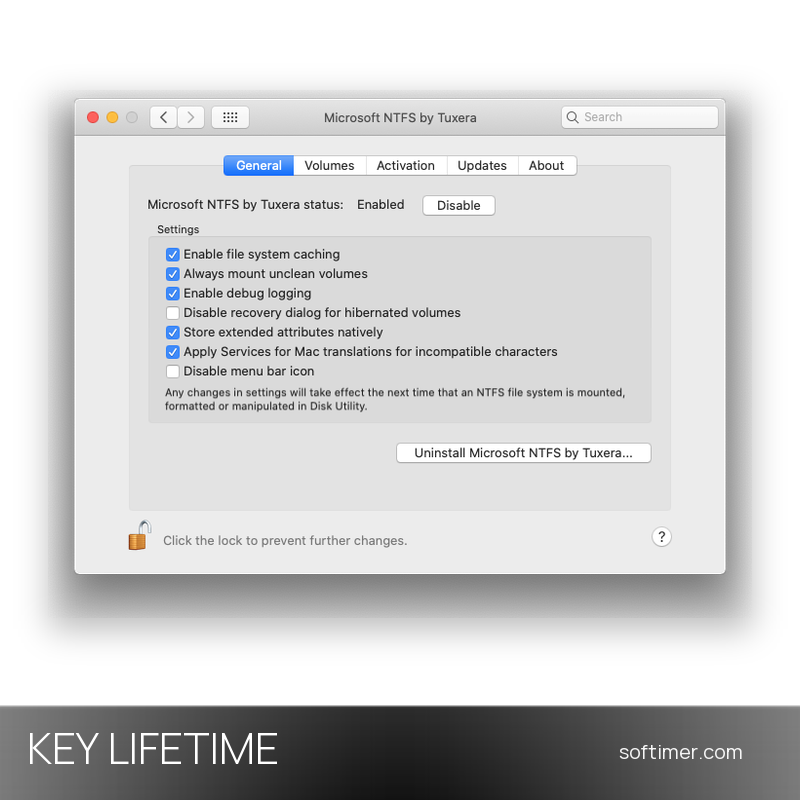
- System Settings pane: The Microsoft NTFS by Tuxera pane (General, Volumes, Activation, Updates, About) enables or disables the driver, sets per-volume options, checks updates and manages the key.
- Compatibility with Windows environments: Supports current NTFS versions and extended attributes, works with dual-boot setups and virtual machines; NTFS drives can be indexed by Spotlight.
- Proven driver technology: Tuxera develops the open-source NTFS-3G driver and has had access to Microsoft's file system specifications since 2009; yearly releases follow each new macOS.
Product Details:
- Product: Tuxera NTFS for Mac (Microsoft NTFS for Mac by Tuxera)
- Version: current release (yearly releases, currently version 2026; updates included with the license)
- License Type: perpetual license key, no expiry
- Platform: macOS
- Devices: 1 Mac
- Language: Multilingual (English and other languages)
- Delivery: license key and instructions by email after payment confirmation (usually within a few hours)
- Activation: product key entered during installation or in the Activation tab of the Microsoft NTFS by Tuxera pane in System Settings; each Mac is activated separately, online check
- Notes: updates included for the whole license term
- Publisher: Tuxera Inc.
System Requirements:
- Operating System: macOS 26 Tahoe down to macOS 10.12 Sierra (Sequoia, Sonoma, Ventura, Monterey and earlier); older releases exist for Mac OS X 10.4 to 10.11
- Processor: Apple silicon (M1 and later) and Intel Macs; per the developer, Intel Macs are covered up to release 2024 and PowerPC Macs up to release 2016.1
- Permissions: Administrator account to install the driver and allow its system extension in Privacy & Security; Apple silicon Macs must permit third-party kernel extensions first
How to Activate:
- Download the latest installer from the Tuxera NTFS for Mac website and run it; when asked for the product key, paste it from the email or type it in uppercase with the dashes.
- If macOS reports a blocked system extension, allow it in System Settings under Privacy & Security and restart the Mac when prompted.
- If you started with the trial, open System Settings, choose Microsoft NTFS by Tuxera, unlock the pane, open the Activation tab, enter the key and click Activate.
- Activations are tied to each Mac: to move the license to a new computer, deactivate it on the old one first.
Delivery:
This product is delivered digitally. After your purchase is confirmed, the license key and activation guidance are sent to the email address provided at checkout. Delivery times may vary depending on the product type.
Same products


- New



- New




- New

- New

- New


- New




- New




- New


- New

Feedback
This product has no reviews. Be the first to review this product!
Share your opinion about the product
This will help other buyers make purchasing decisions
Write a review