


Charles Proxy - Lifetime License KEY - Mac


- New
Charles Proxy - Perpetual License
Charles is the web debugging proxy developed by XK72 Ltd: it runs on your computer as an HTTP proxy, records the traffic between your applications and the internet and shows every request and response with headers, cookies and body in one window. It is built for web and mobile developers, testers and support engineers who need to see what a browser, an app or a backend really sends and receives, including HTTPS traffic once the Charles root certificate is installed. The license is a registered name plus a license key entered in the app to remove the trial limits; it stays valid for every update of the major version current at the time of purchase.
This product is a perpetual license key for Charles Proxy: it does not expire and can be used on 1 Mac running macOS. The key is delivered by email together with the activation instructions.
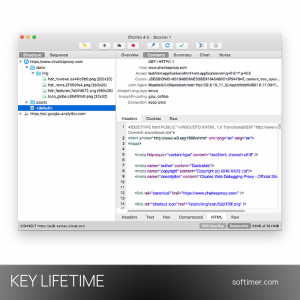
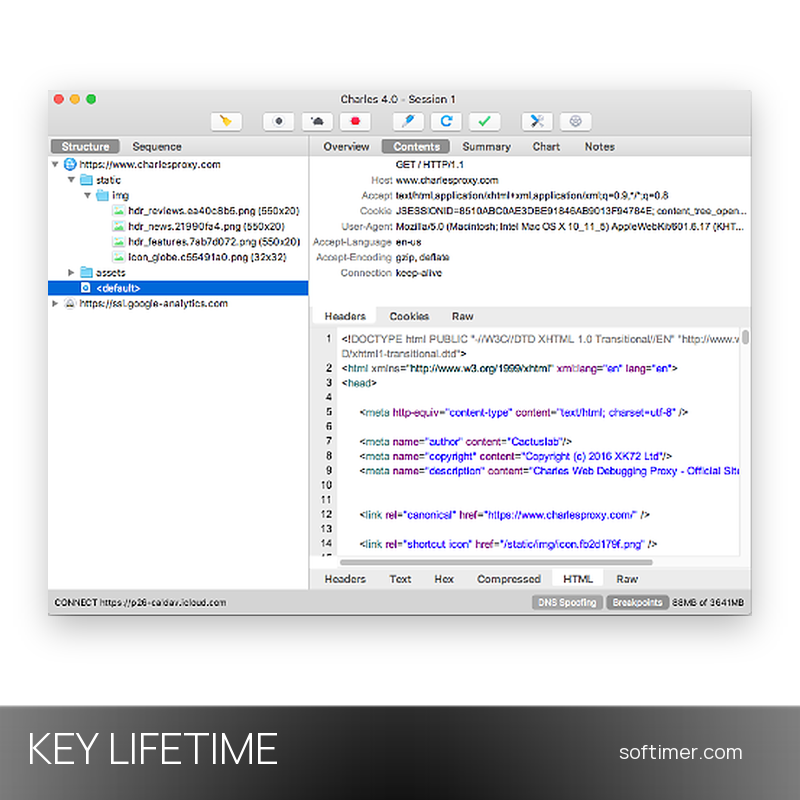
In a typical session Charles sets up the system proxy as it starts and browser traffic appears in the Structure view at once; you enable SSL Proxying for the hosts you work on, set a breakpoint on an API call, change the response by hand and watch how the app reacts, then save or export the session as a HAR file. A separate Charles app for iOS captures traffic on the device itself.
Key Features:
- SSL Proxying: Decrypts the HTTPS traffic of the hosts you choose once the Charles root certificate is trusted, so encrypted requests and responses become readable text, JSON, XML or images.
- Structure and Sequence views: Traffic is grouped by host in a tree or listed in the order it happened, with Overview, Contents, Summary and Chart tabs and structured viewers for JSON, XML, forms and cookies.
- Breakpoints and Rewrite: A breakpoint pauses a matching request or response so you can edit headers, body or status code before it goes through; Rewrite rules apply such changes automatically.
- Map Local and Map Remote: Map Local answers a request with a file from your disk, Map Remote sends it to another host, for example from production to a test server, without touching the app under test.
- Bandwidth throttling: Simulates slower or less reliable connections with presets or a custom bandwidth and latency, for all traffic or selected hosts only, to see how an app behaves on a mobile network.
- Mobile devices and other tools: iOS and Android devices use Charles as their proxy and install the certificate from chls.pro/ssl; Reverse Proxy, Port Forwarding and DNS Spoofing cover clients without proxy support, Repeat and Compose resend or build requests.
Product Details:
- Product: Charles Proxy
- Version: current version, with all updates released during the license term
- License Type: perpetual license key, no expiry
- Platform: macOS
- Devices: 1 Mac
- Language: English (interface)
- Delivery: license key and instructions by email after the order has been verified (not instant, usually within a few hours)
- Activation: online, license key entered in the application
- License registration: the license is registered in the reseller's name: it works normally, but that name appears in the About window of the program
- Publisher: XK72 Ltd
System Requirements:
- Operating System: macOS (Intel and Apple Silicon), Windows 10 or 11 (x86_64 and Arm64), Linux (x86_64 and Aarch64, tar.gz or APT/YUM repositories)
- Java: Bundled with the macOS and Windows packages: nothing else to install
How to Activate:
- Download Charles for macOS, Windows or Linux from the Charles website and install it (on macOS copy the app to the Applications folder).
- Open Charles, choose Register Charles from the Help menu and type the registered name and the license key exactly as they appear in the email you received.
- The 30-minute session limit of the trial disappears at once; the key stays valid for every update of the same major version.
- For HTTPS traffic, pick Install Charles Root Certificate in the SSL Proxying submenu of the Help menu, trust the certificate and list the hosts to decrypt in SSL Proxying Settings.
Delivery:
This product is delivered digitally. After your purchase is confirmed, the license key and activation guidance are sent to the email address provided at checkout. Delivery times may vary depending on the product type.
Same products



- New


- New


- New




- New


Feedback
This product has no reviews. Be the first to review this product!
Share your opinion about the product
This will help other buyers make purchasing decisions
Write a review