


PhotoFiltre Studio 11 - Lifetime License KEY - Windows


- New
PhotoFiltre Studio 11 - Perpetual License
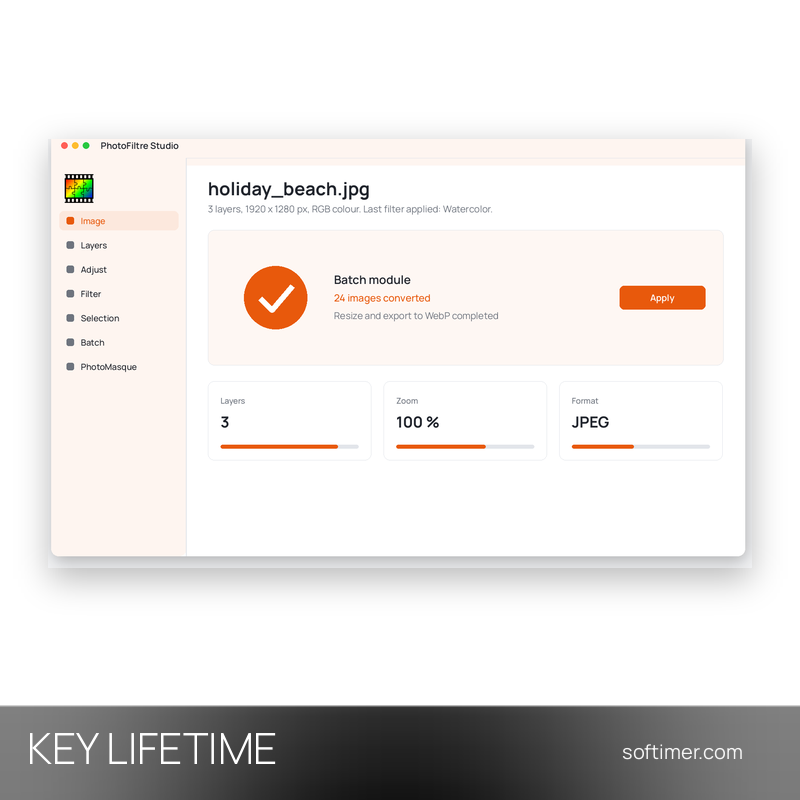
PhotoFiltre Studio is a Windows image editor developed by the French programmer Antonio Da Cruz, known for being light, quick to start and easy to learn. It suits home users, bloggers and small offices who retouch photos, prepare images for the web or create simple compositions without the weight of a professional suite. This listing is a registration key that unlocks the full version of the program on your computer.
This product is a perpetual license key for PhotoFiltre Studio 11: it does not expire and can be used on 1 PC running Windows. The key is delivered by email together with the activation instructions.
Typical uses: correcting brightness and colours of holiday photos, removing red eyes, resizing and converting a whole folder of pictures for a website, adding text or a frame to an image, or building a small animated GIF. Recent releases of the program are 64-bit only; version 11 follows the Studio X generation.
Key Features:
- Layers with transparency: Image, text and colour layers with an alpha channel let you combine several elements and change one part without touching the rest.
- Adjustments and artistic filters: Brightness, contrast, hue, saturation and gamma sit next to effects such as watercolour, pastel, ink or pointillism.
- Selections, brushes and masks: Shape and lasso selections can be saved and reused, and the PhotoMasque module applies contours and transparency through masks.
- Batch processing: The same resizing, conversion or correction can be applied to many files at once, which saves time on large photo sets.
- Extra tools and formats: Red-eye correction, an animated GIF builder, icon export and support for formats such as WebP, JPEG 2000, RAW and HDR in version 11.
Product Details:
- Product: PhotoFiltre Studio
- Version: 11
- License Type: perpetual license key, no expiry
- Platform: Windows (64-bit)
- Devices: 1 PC
- Language: French, English and other languages
- Delivery: license key and instructions by email after payment confirmation (usually within a few hours)
- Activation: online, license key entered in the application
- Publisher: Antonio Da Cruz
System Requirements:
- Operating System: Windows 64-bit
- Additional components: Microsoft Visual C++ 2015 Redistributable
How to Activate:
- Download and install the 64-bit version of PhotoFiltre Studio on your computer.
- Start the program and open the ? menu, then choose Registration.
- Type the name exactly as delivered with the key, paying attention to upper and lower case.
- Enter the registration key and confirm with OK to unlock the full version.
Delivery:
This product is delivered digitally. After your purchase is confirmed, the license key and activation guidance are sent to the email address provided at checkout. Delivery times may vary depending on the product type.
Same products




- New


- New

- New

- New





- New


- New




- New

- New
Feedback
This product has no reviews. Be the first to review this product!
Share your opinion about the product
This will help other buyers make purchasing decisions
Write a review