


Humata Team - 3 Months - Shared ACCOUNT


- New
Humata Team - 3 Months Shared Account
Humata is an AI assistant for documents developed by Humata AI: you upload PDFs and other files and ask questions about them in plain language, as you would in a chat. It is meant for researchers, students, analysts, lawyers and small teams who spend hours on long papers, reports and contracts and want to find the relevant passages quickly. What you buy is access to a paid Humata plan on a Humata account, used directly in the web browser without installing any software.
This product is access to a shared Humata Team account for 3 months: the login details are sent by email and the same account is used by several customers at the same time (limit: 1 user per customer). Use of the account follows the rules described below.
Typical uses: getting the key findings of a scientific paper before reading it in full, checking what a contract says about a specific clause, comparing several reports on the same topic, and drafting notes or summaries that point back to the exact pages of the source.
Key Features:
- Chat with your files: Ask questions about one document or a whole set of files and get answers written from their content instead of from general web knowledge.
- Answers with citations: Each answer links to the passages it is based on, so you can open the source page and check the highlighted text yourself.
- Summaries and comparisons: Ask for a short or detailed summary, rewrite it until it fits, or compare findings across several documents in one conversation.
- Higher monthly page allowance: Paid plans process many more document pages each month than the free plan, which is limited to a small number of pages and answers.
Product Details:
- Product: Humata
- Version: online service, always the current version
- License Type: shared account, access for 3 months
- Duration: 3 months
- Platform: web browser
- Devices: 1 user
- Language: Interface in English; questions and documents in many languages
- Delivery: login details of the shared account and usage rules by email after payment confirmation
- Activation: sign in on the service's website with the login details received
- Region: not specified – if you need activation in a specific country, contact us before ordering
- Publisher: Humata AI
System Requirements:
- Browser: A current web browser such as Chrome, Edge, Firefox or Safari on a computer, tablet or phone
- Internet: Permanent internet connection
How to Activate:
- Open the Humata website and sign in with the e-mail address and password received after purchase.
- Do not change the e-mail address, password or security settings and do not add payment methods unless we tell you to; the plan is already active on the account.
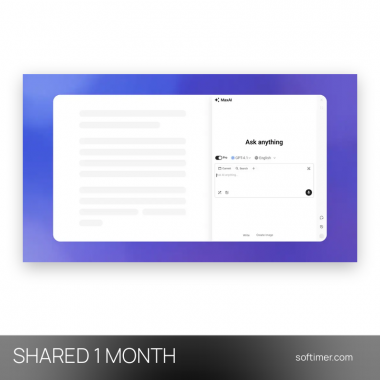
- Upload a PDF or another document and start asking questions in the chat panel next to it.
Please note: The login details of this shared account are used by several customers at the same time. The account is not personal: it is not registered in your name, it is shared with other customers and it stays under the control of the supplier. Do not change the password, e-mail address or any account setting, do not add payment methods and do not exceed the allowed number of devices. Access is provided for 3 months; replacement in case of technical problems is covered only within the warranty stated in the details, if the supplier provides one.
Delivery:
This product is delivered digitally. After your purchase is confirmed, the login details and usage instructions are sent to the email address provided at checkout. Delivery times may vary depending on the product type.
Same products




- New


- New


- New


- New


- New


- New
- New



- New


- New


- New
Feedback
This product has no reviews. Be the first to review this product!
Share your opinion about the product
This will help other buyers make purchasing decisions
Write a review